
Settings
What is it for?
The SettingsGeneral tabsettings defines the identity and behaviour ofset the restaurant module:module's name, whether it is on or off, and where staff can use the businessapp name, the colour guests see, contact details and three behaviour switches.from.
How do I open this screen? In the left menu go to
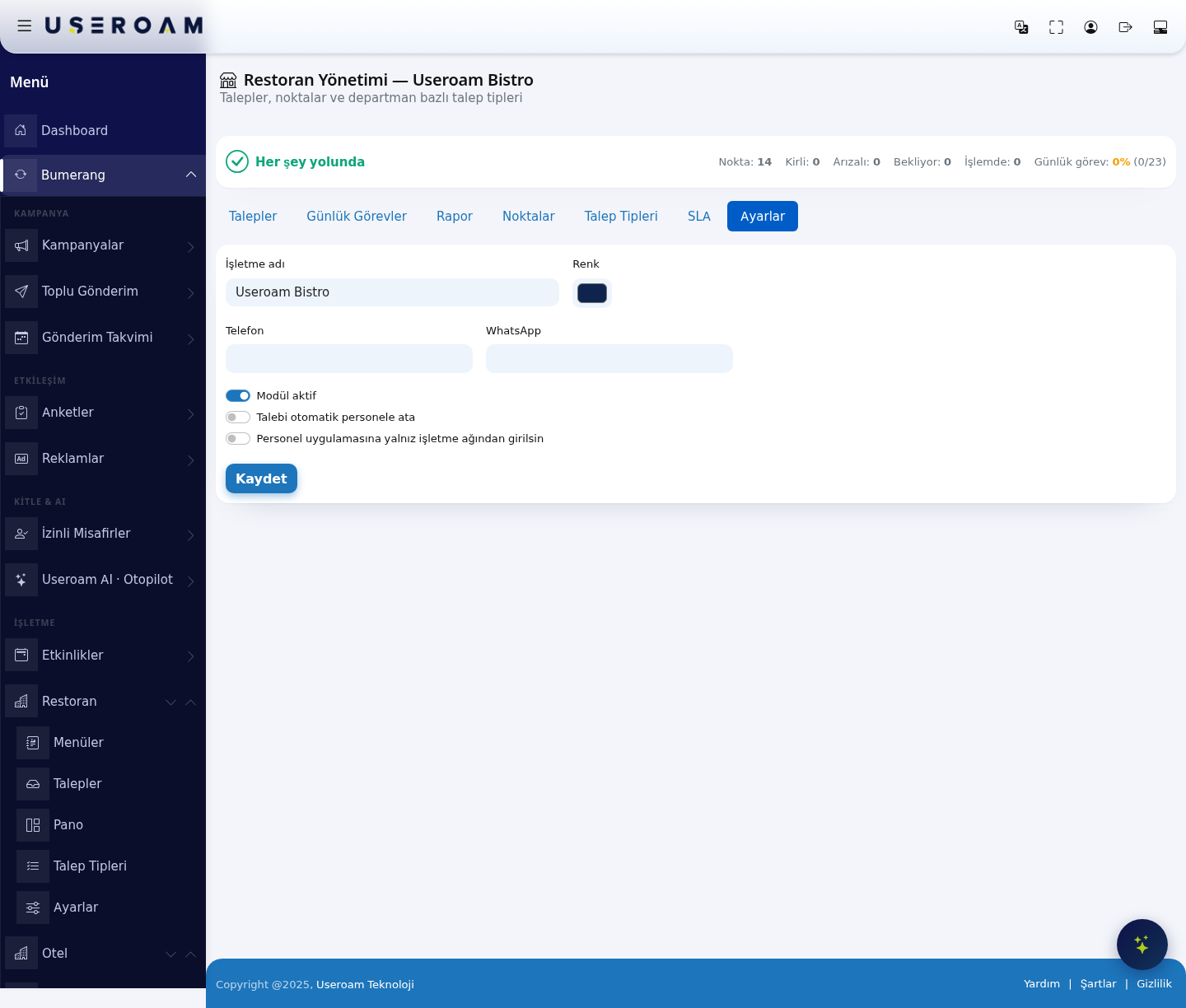
Bumerang → BUSINESS (İŞLETME) →Restaurant(Restoran)→ Settings, then the General sub-tab. Or Restaurant Management → Settings → General.
When
do 1.I Businessuse detailsit?
BusinessTo name: The name shown inchange the modulebusiness heading and on guest-facing screens (e.g. Useroam Bistro).name.Colour:To The accent colour used on guest and staff screens, set from the colour picker.
Phone: The venue's phone number.
WhatsApp: The number to reach over WhatsApp.
2. Behaviour switches
Module active: Turnsturn the restaurant module off for a while.- To let staff use the app only on the venue's Wi-Fi.
Step by step
- Change the field you need (for example type
Sea Cafe Kadikoy in Business name, or off.flip Whilea off, guests cannot raise requestsswitch) and theclick moduleSave. isThe inactivetop says "Saved."
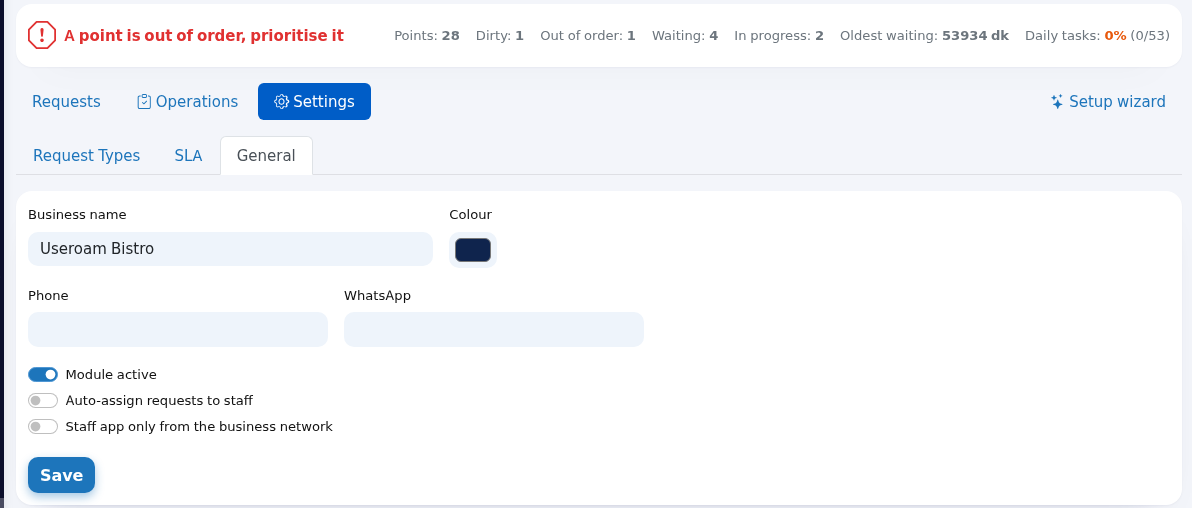
Every field and button
Sea Cafe Kadikoy in Business name, or
| Field / Button | What it does | Example |
|---|---|---|
| Business name | Shown in the | Useroam Bistro |
| Colour | Colour picker. The value is saved but not used by the current panel or guest screens. | #0F244D |
| Phone | The venue's phone. Shown only on the old restaurant guest request page (menu.useroam.com/rs/...) | 0212 555 00 00 |
| The value is saved but currently not used on any screen. | - | |
| Module active | Turning it off makes the restaurant module inactive (it is the same switch as Restaurant Portal in Settings → Module Permissions). The restaurant tabs disappear from the staff app. | On |
| Auto-assign requests to | Legacy | - |
| Staff app only from the business | When on, staff who are not managers can use Useroam Go only while connected to the | Off |
| Save | Saves the form. | - |
Messages you may see
| Message | Meaning and what to do |
|---|---|
| Saved. | The settings were saved. |
| Business name cannot be empty. | Fill in the name and save again. |
Frequently asked questions
I turned the module off. Is my data deleted?
No. Requests, points, tasks and settings stay; they come back as they were when you turn the switch on again.
Staff cannot use the app canwhen they are outside.
Staff app only from the business network is on. Staff must be opened fromon the venue's ownWi-Fi, network.or Useyou itturn the switch off. Managers are exempt.
Where do I find the guest request page address for the restaurant?
The panel no longer shows a separate guest request page for restaurants; the guest surface is the QR menu. Details: Setting up the QR menu from start to stopfinish.
Related beingpages
- Requests
remotely,·outsideRequestaTypesshift.· SLA - Module Permissions
Changes are written with the Save button.
3. Where Settings is now
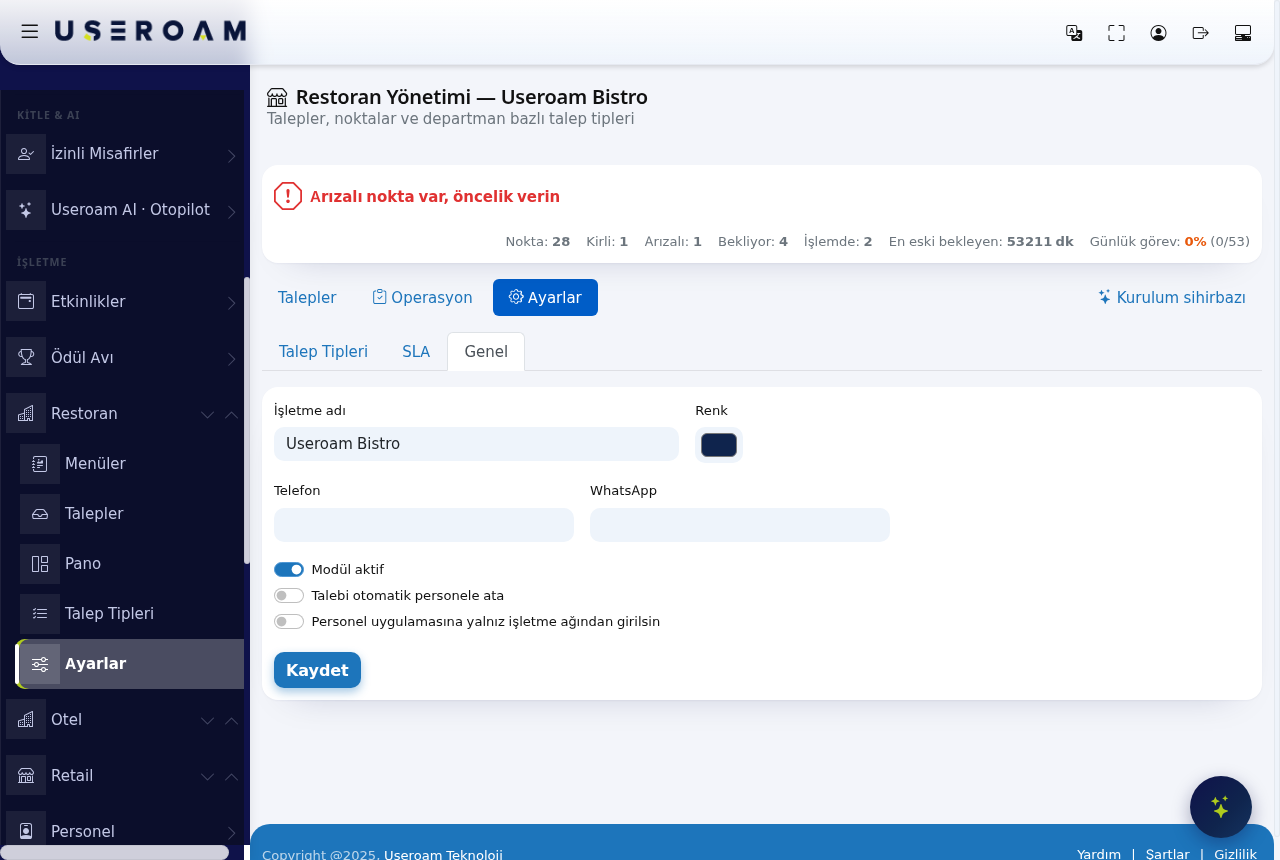
Restaurant Management now has only Requests and Settings. Settings contains three sub-tabs: Request Types, SLA and General (the settings described on this page). Tasks, points and the report moved to Venue → Operations.
With Assign requests to staff automatically on, the job goes to the least busy staff member of the request's department. A manager gets it only if no one else is in the department.
Related pages:Restaurant Solution → Requests,SLA;Bumerang → Staff.