
Notifications
What is it for?
The Notification Settings determinescreen stores, for the selected device, in which events the system notifiessituations you aboutwant byto receive an SMS or email.e-mail Becausenotification. aEach silentrow failureis inan theon/off 5651switch. log-signingPreferences processare createssaved legalper exposure, we recommend keeping the signing and log-flow notifications switched on.device.
How do I open
this screen?it?FromIn the left menu,go toclick Settings → Notifications.
Note:the field labels on this screen are still shown in Turkish; the Turkish label is given in brackets so you can find each switch.
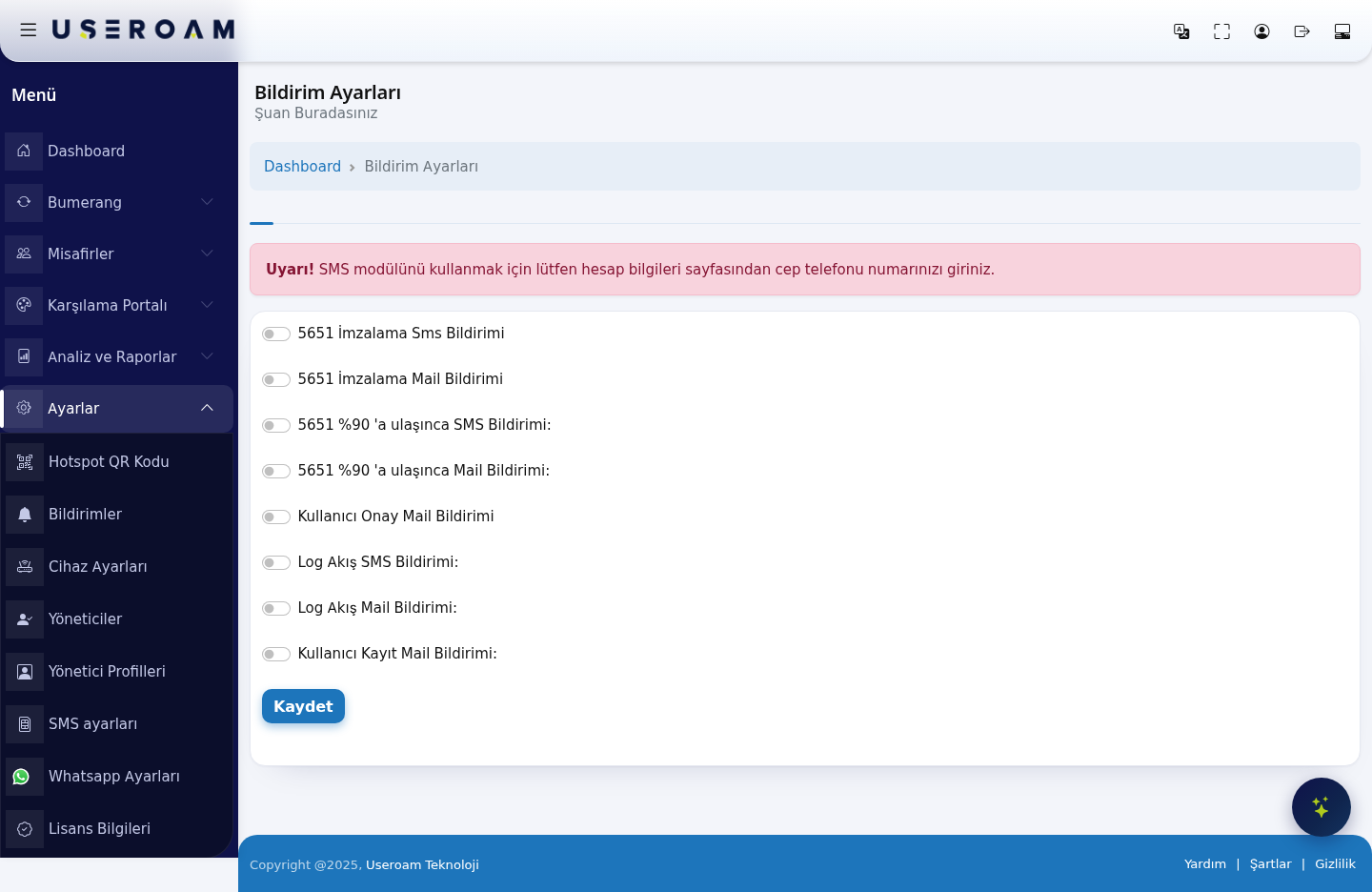
When do I use it?
- Your setup requires you to approve guest registrations and you want an e-mail when a new registration is waiting.
- You want to change your notification preferences about 5651 records (signing, storage usage, log stream).
- You have several devices and want different preferences per device. The screen always shows the
warningsettings"Uyarı!of the currently selected device.
Before you start
- SMS notifications go to the mobile number saved in your account, e-mail notifications to the e-mail address saved in your account.
- You change both on the My Profile (Account Info) screen.
Step by step
In the left menu, click Settings → Notifications. The Notification Settings screen opens.
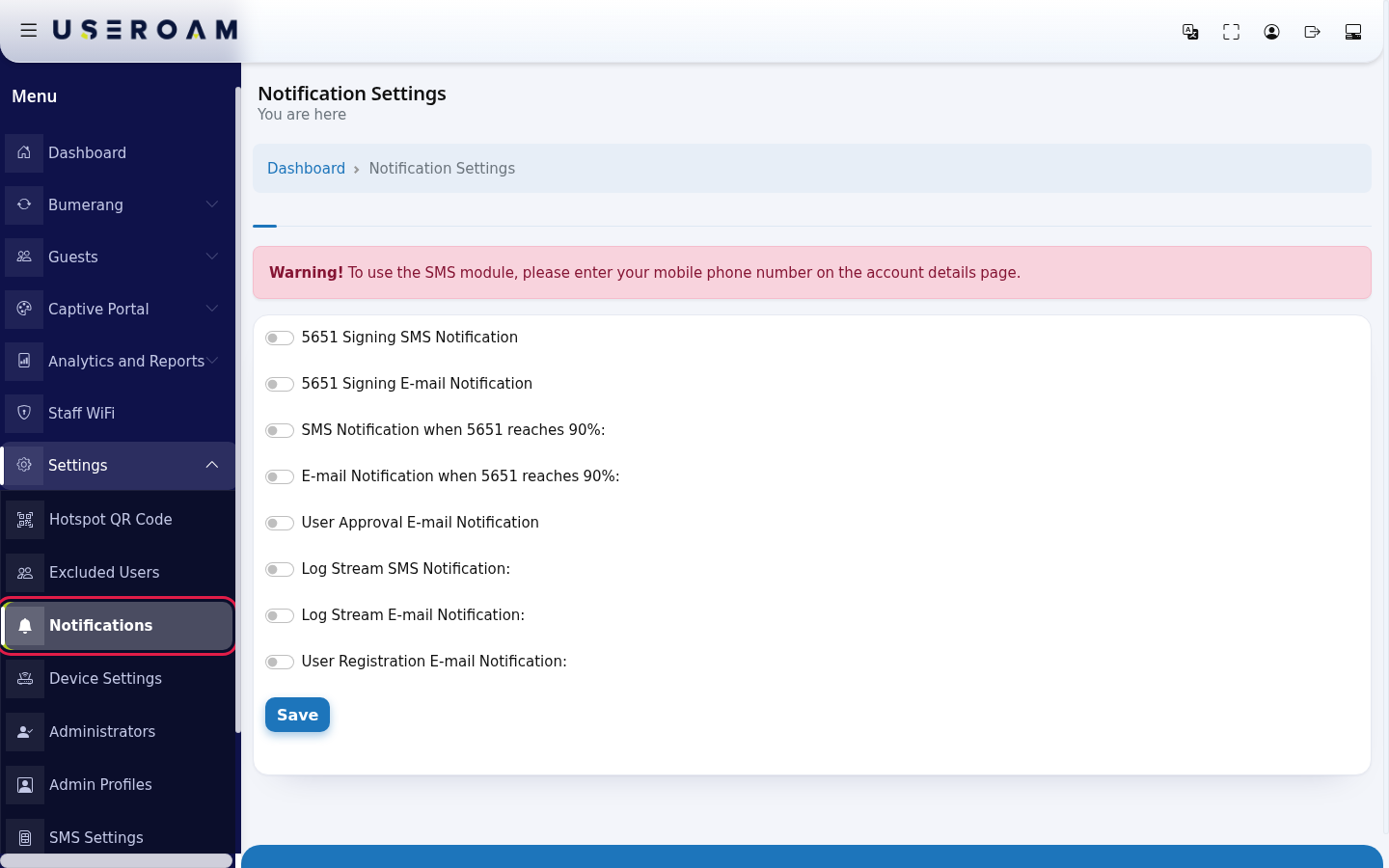
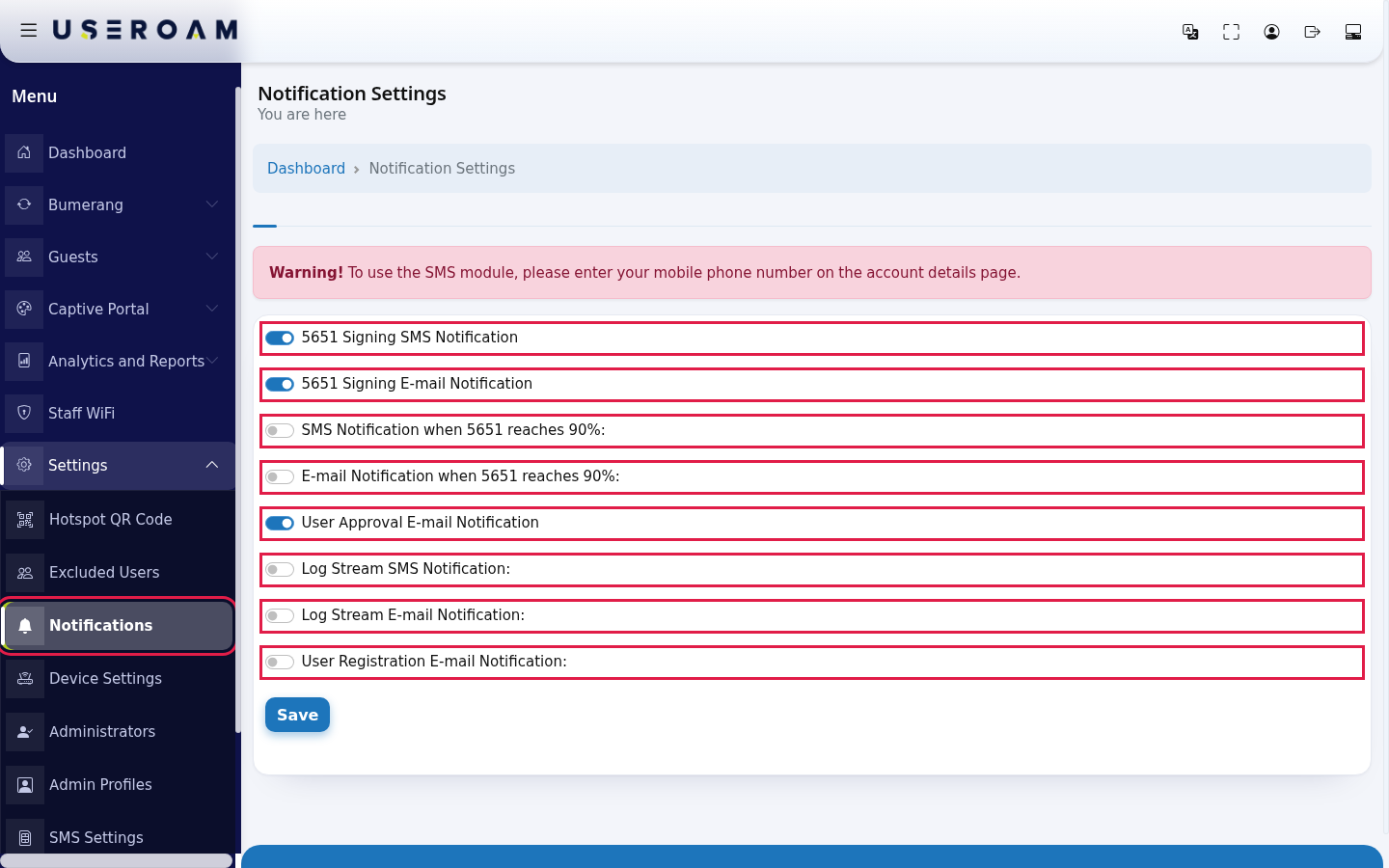
Click the switch of each notification you want. A switch that is on is blue. Turn off the ones you do not want.
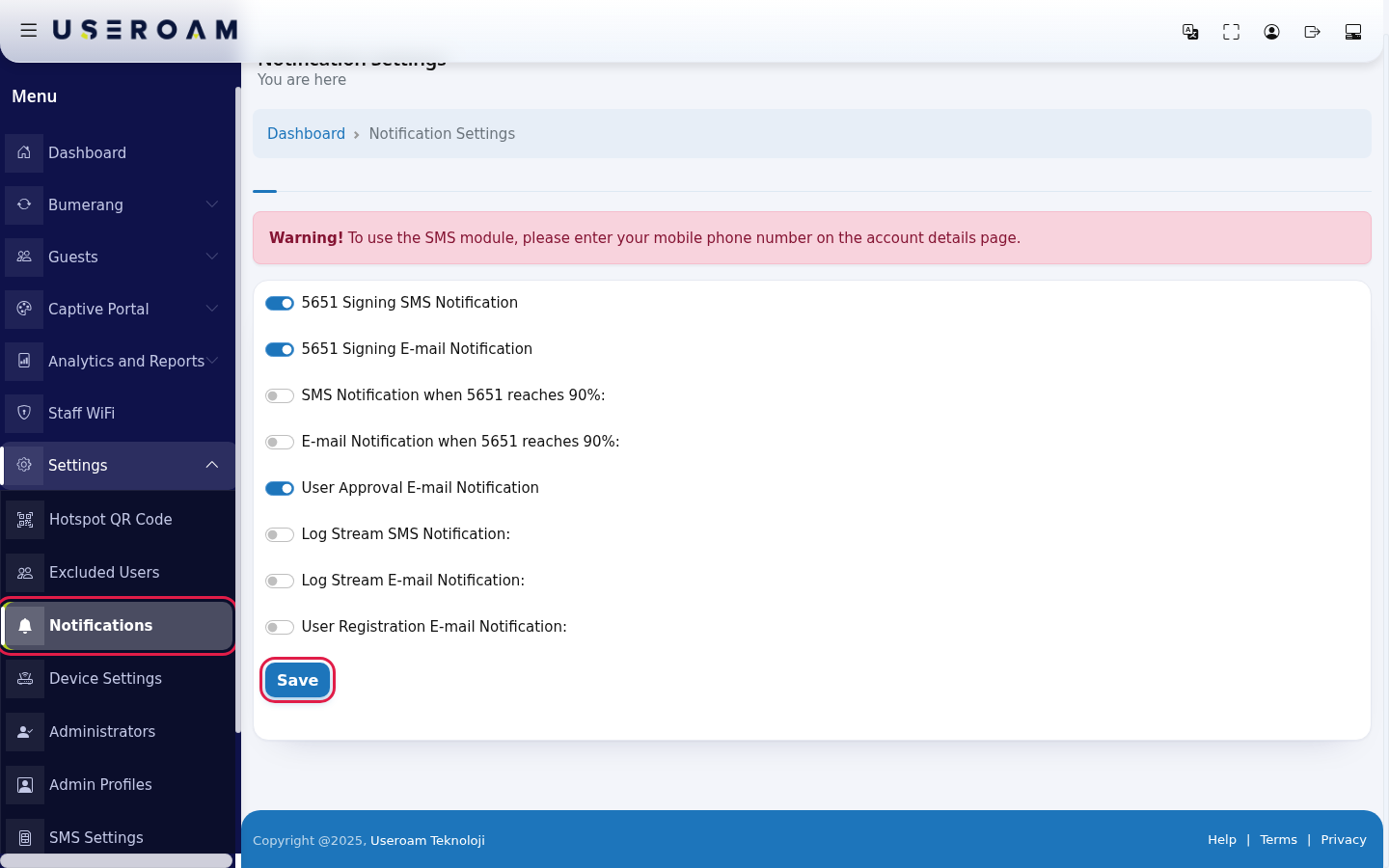
Click Save at the bottom. The screen reloads and the switches show the state you saved.
Every field and button on the screen
| Field / Button | What it does |
|---|---|
| 5651 Signing SMS | Your |
| 5651 Signing E-mail Notification | Your preference to receive the same notification by e-mail. |
| SMS Notification when 5651 reaches 90%: | Your SMS preference for when the 5651 log storage reaches 90 percent. |
| E-mail Notification when 5651 reaches 90%: | Your e-mail preference for the same situation. |
| User Approval E-mail Notification | In setups where guest registrations need administrator approval, an e-mail titled Kullanıcı Onay Bekliyor (user awaiting approval) is sent to your account e-mail when a new registration is waiting. You approve it on the Pending Approval screen. This e-mail is not part of every device type's login flow. |
| Log Stream SMS Notification: | Your SMS preference about the 5651 log stream coming from the device. |
| Log Stream E-mail Notification: | Your e-mail preference for the same situation. |
| User Registration E-mail Notification: | Your e-mail preference about new guest registrations. |
| Save | Saves the current state of all switches for the selected device. |
Warning you may see on the screen
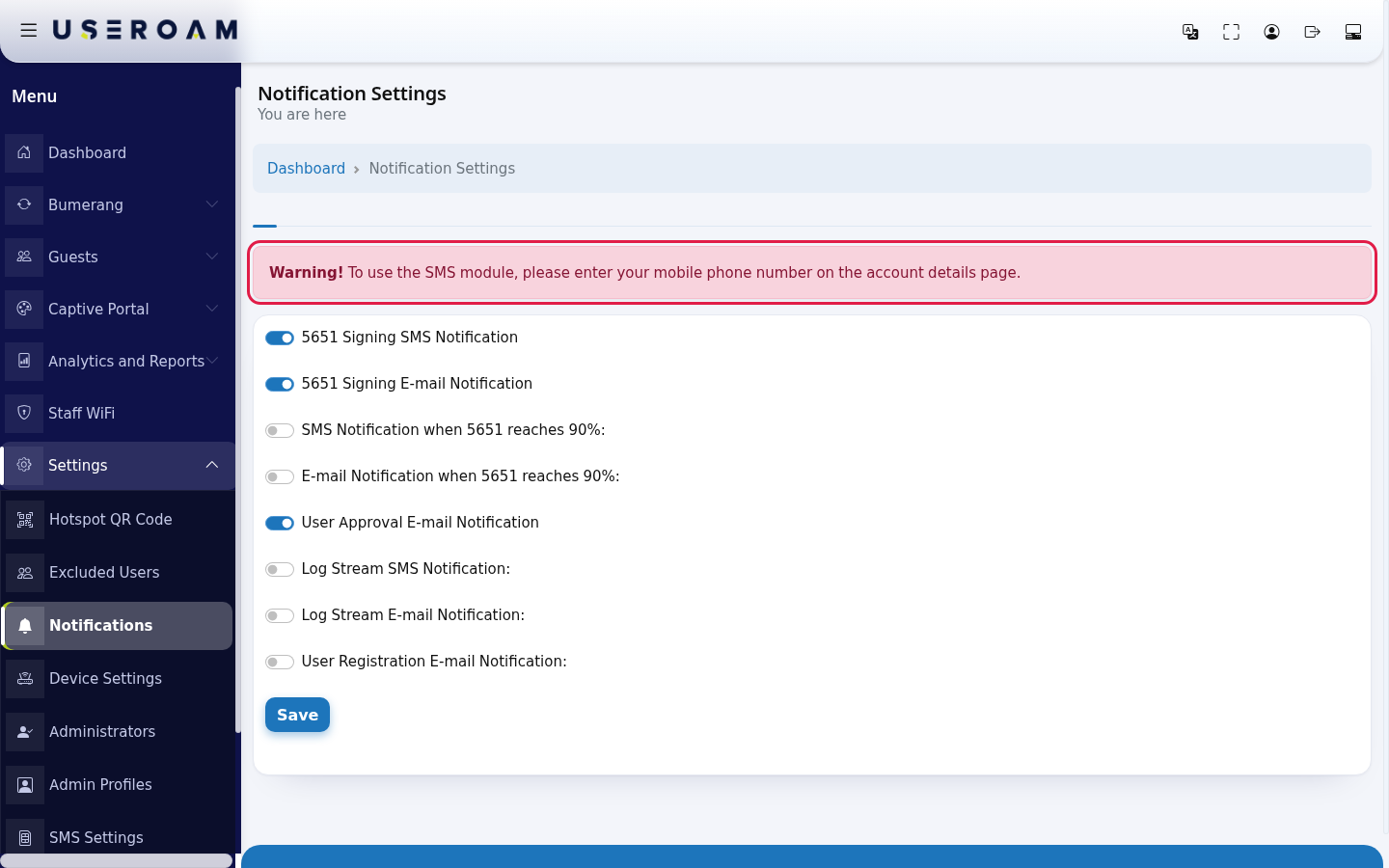
| Warning | What it means, what to do |
|---|---|
| Warning! To use the SMS module, please enter your mobile phone number on the account | No mobile number is saved in your account, so SMS notifications |
Frequently asked questions
When I switch to another device, the switches are off.
Notification preferences are per device. Open the screen for each device and save separately.
Where does the approval e-mail go?
To the e-mail address saved in your account. Change it on the My Profile (Account Info) screen.
I turned a switch on but receive nothing.
First check that a mobile number toand e-mail address are saved in your accountaccount. detailsIf first.
continues, contact support and say which notification you expect.
NotificationRelated typespages
There are eight separate switches; each can be turned on or off independently.
5651 signing
5651Mysigning SMS notificationProfile (5651Accountİmzalama Sms Bildirimi):sends an SMS to your mobile when the log-signing job completes — or fails.Info)- Pending Approval
- 5651
signingLogs - Device
notification(5651 İmzalama Mail Bildirimi):the same information by email.Settings
Capacity warning
SMS notification at 90% of 5651 capacity(5651 %90'a ulaşınca SMS Bildirimi):sends an SMS when the log storage to be signed reaches 90% of the allocated quota, so you can act before the space fills and logs are lost.Email notification at 90% of 5651 capacity(5651 %90'a ulaşınca Mail Bildirimi):the same warning by email.
Log flow
Log flow SMS notification(Log Akış SMS Bildirimi):sends an SMS when the log stream from your firewall to Useroam stops. This is the first signal you get if the syslog configuration on the firewall breaks.Log flow email notification(Log Akış Mail Bildirimi):the same warning by email.
User events
User approval email notification(Kullanıcı Onay Mail Bildirimi):sends an email when a user registration needs approval, reminding you to reviewGuests → Pending Approval.User registration email notification(Kullanıcı Kayıt Mail Bildirimi):sends an email whenever a new guest registers on the portal. We recommend leaving this off at busy locations.
Confirm your selection with Save.
Related pages:Analytics and Reports → 5651 Logs(signing status),Guests → Pending Approval,Settings → SMS Settings.