
Settings and Status
What is it for?
The two cards at the top left of the Staff WiFi screen show whether the feature is madeon ofand fourwhether cards:the setup will work. On the Settings, card you turn the feature on and type the staff network name; on the Status, Setupcard linkyou see the state of Useroam Connector and of the issued certificates.
When do you use it?
- When you turn on Staff
andWiFicertificate status. This page coversfor the firsttwo.time. - When
Whereyouischangethisthescreen?name of the staff network. - As the first place to look when staff say "I cannot finish the setup".
- When you want to pause new setups for a while.
Before you start
- You must be signed in with an administrator account.
- Pick the right device in the top menu. Settings are per device.
Step by step
- Open Staff WiFi in the left menu.
Settings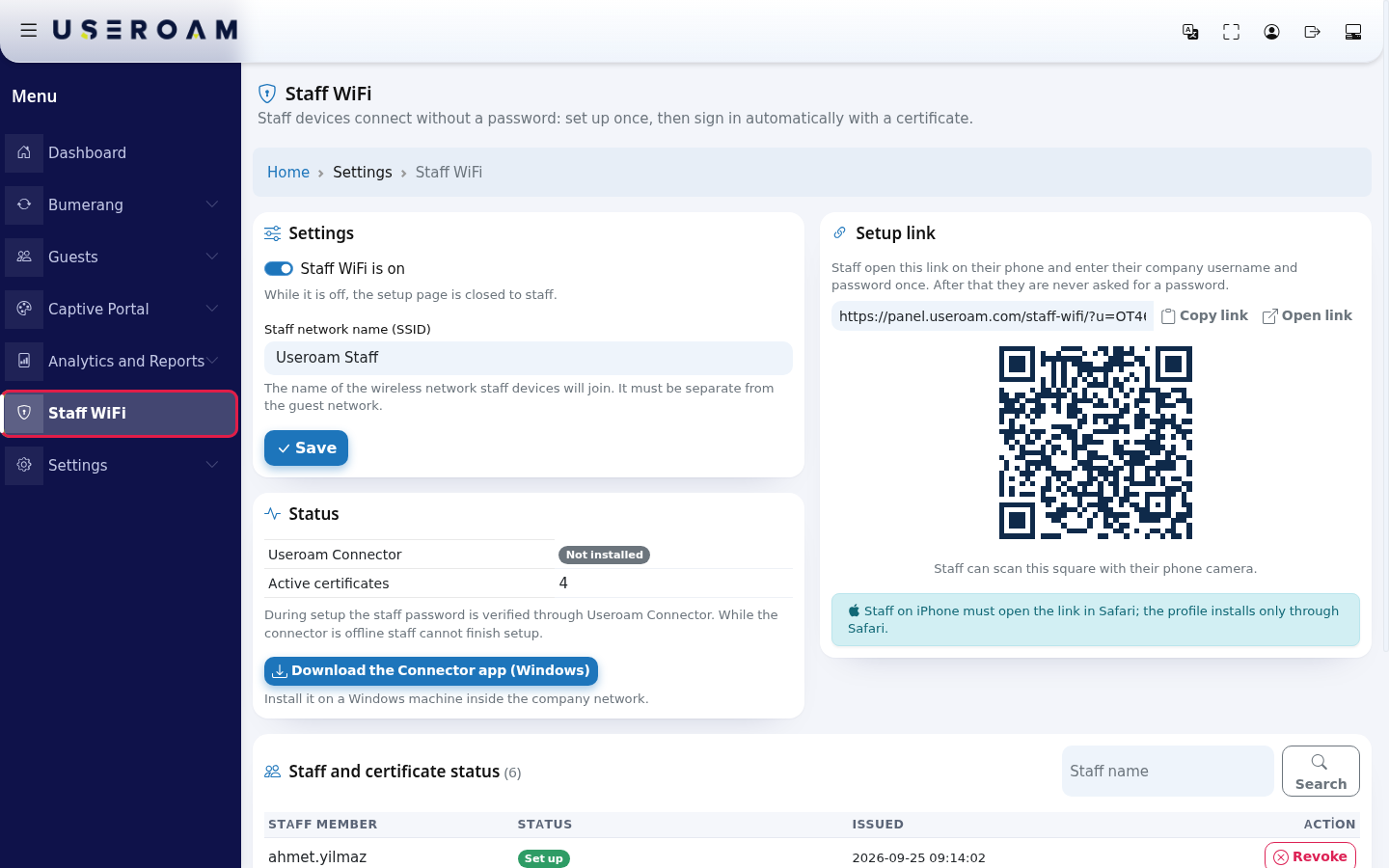
- On the
top menu.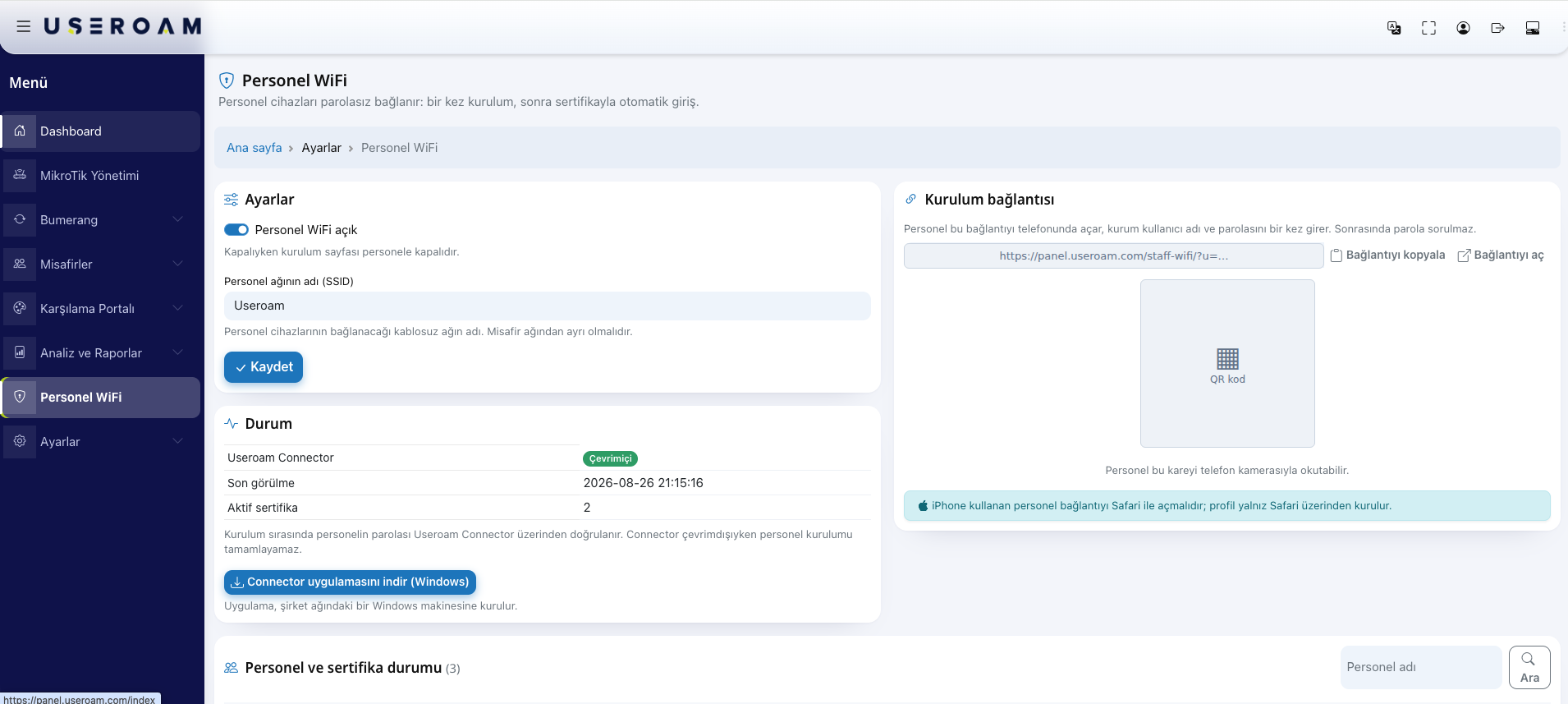
1. TheSettings card- turn
- on Staff WiFi is on.
—InwhileStaff network name (SSID) type the name of the wireless network staff devices will join, exactly as it is written on the device (example:Useroam Staff). Press Save.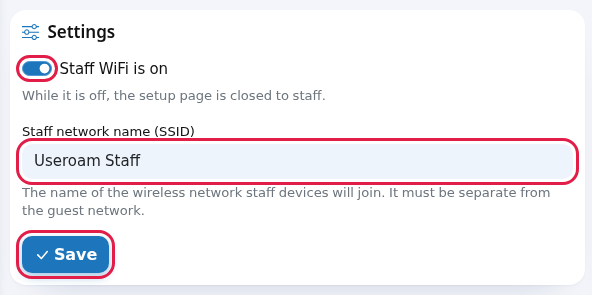
- Check for the green Settings saved. message at the top of the screen.
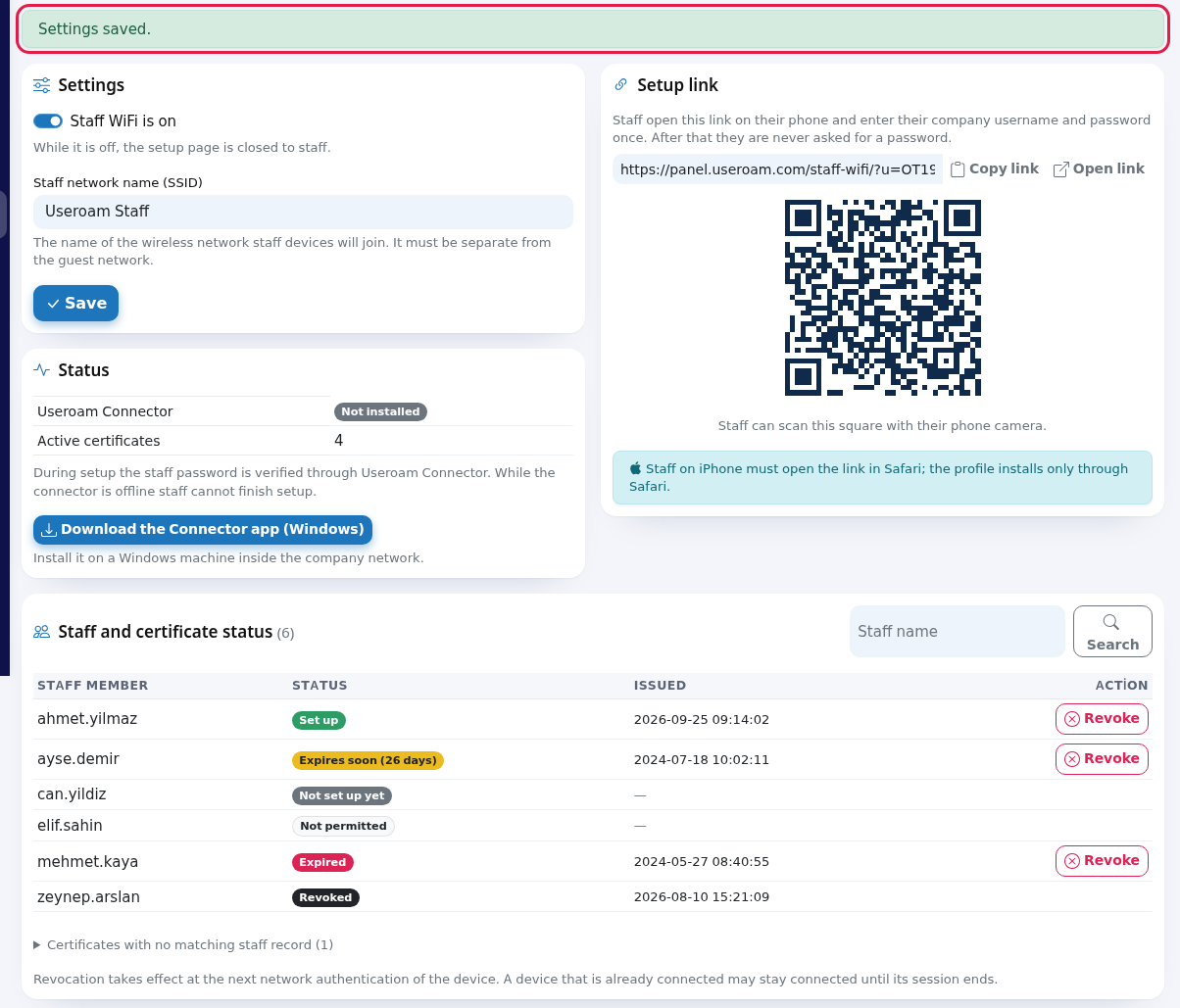
- Look at the Status card. If you work with Active Directory, the Useroam Connector row should say Online. If you work with local users, Not installed is normal.
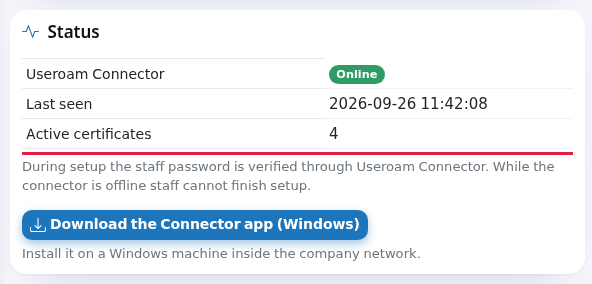
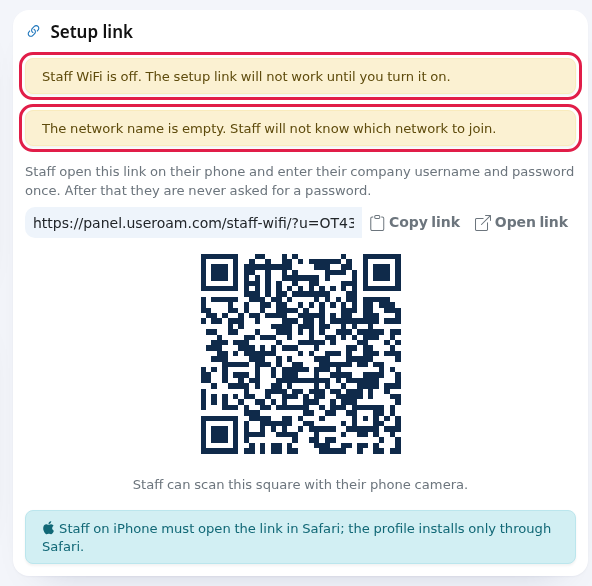
- Check that no yellow warning is left at the top of the Setup link card. If there is one, fix it using the table below.
- on Staff WiFi is on.
Every field and button on the screen
| Field / Button | What it does | Example |
|---|---|---|
| Staff WiFi is on | While on, staff can use the setup link. The note below it: "While it is off, the setup page is closed to staff." | On |
| Staff network name (SSID) | The | Useroam |
| Save | Saves | |
| Useroam Connector | One | Online |
| Last seen | When the | 2026-09-26 11:42:08 |
| Active certificates | The
| 4 |
| Note under the card | "During | |
| Download the Connector app (Windows) | Downloads |
3. Two warningsWarnings and what they meanerrors
Message What it means What to do “Settings saved. (green)Saved. Nothing. Staff WiFi is off. The setup link will not work until you turn it on. ”— the(yellow)The switch on the Settings cardis off. Staffcan openopening the linkbutseecannot"Bucompletekurumsetup.için- personel WiFi kurulumu kapalı. (S-09)" (setup is closed for this organisation).
Turn on “Staff WiFi is on and press Save.The network name is empty. Staff will not know which network to join. ”—(yellow)No nonetworkSSIDname has been entered.Type Eventheifnetwork name and save.Enter the network name. (red) You tried to save with an empty network name. Type the network name. No device selected. Pick a certificatedevice from the top menu.No device is issued,selected in your session.Pick a device in the devicetophasmenu.no
Frequently asked questions
I changed the network toname join.and
Bothusers appearcannot aboveconnect.
The profile installed on iPhone and iPad carries the network name; it keeps looking for the old name. iPhone users must run the setup linkagain. card,Android becauseand bothWindows makeusers thatpick linkthe useless.new network in the list and connect with the same certificate.
Where 4.do TheI verificationchange the validation server name
A staff device verifies the server's identity when it connects. This valuename?
It is not managed fromin the panel;panel. theThe setup portalpage shows it to the staff memberitself on screen, and(panel.useroam.com); on Android and Windows it goes into the Domain field.
If notI look for it onturn the Settingsswitch card.off, do employees drop off the network?
No. Only new setups stop. To cut someone off, revoke their certificate: Certificates and Staff.
Staff
Related
pagespages: