
Setting up the QR menu from start to finish
What is it for?
This page takes you end to end through setting up a QR menu, putting it on the tables, and letting guests call a waiter, ask for the bill and order from the table. In a restaurant the guest page is the QR menu: a guest who scans the table QR sees the menu with Call Waiter and Request Bill at the bottom, and, if table ordering is on, adds items to the cart and sends the order. Orders and calls land on the Operations Screen in the panel and on staff phones.
When do I use it?
- When moving from a printed menu to a QR menu.
- When turning on waiter calls and bill requests from the table.
- When starting to take orders from the table.
Before you start
- The restaurant module should be set up (Venue Setup Wizard). The menu appears on the wizard's QR menu card.
- Have your menu ready as Excel, PDF or a clear photo.
- For table ordering: in Turkey, entering orders into the cash register/POS is the venue's responsibility; Useroam passes the order to the floor and does not issue receipts.
Step by step
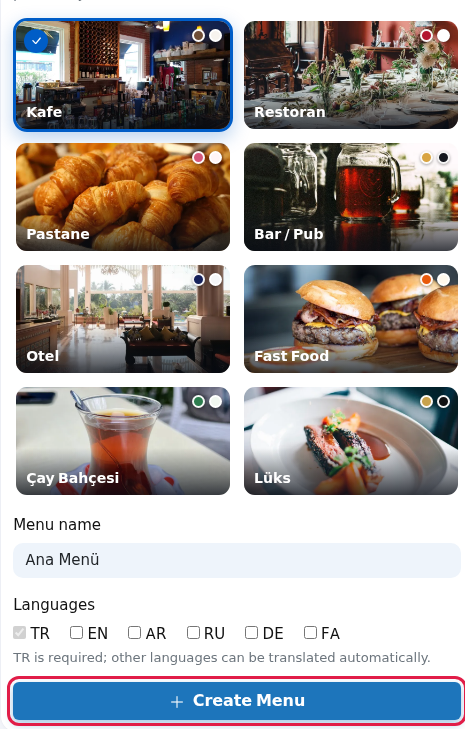
- Create the menu. In Restaurant → Menus pick a design, enter the Menu name and Languages, and click Create Menu. Details: Online Menu.
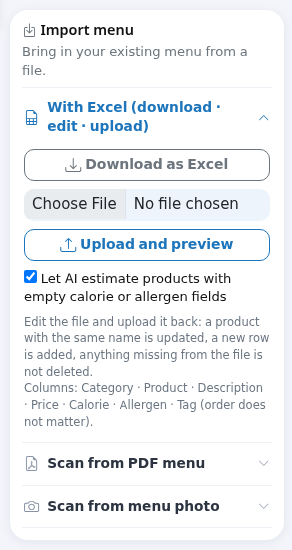
- Add products. In the editor, import in bulk from Excel, PDF or a photo via the Import menu card, or enter them one by one with Add New Section and + Add product. Do not leave products at price 0. Details: Menu Editor.
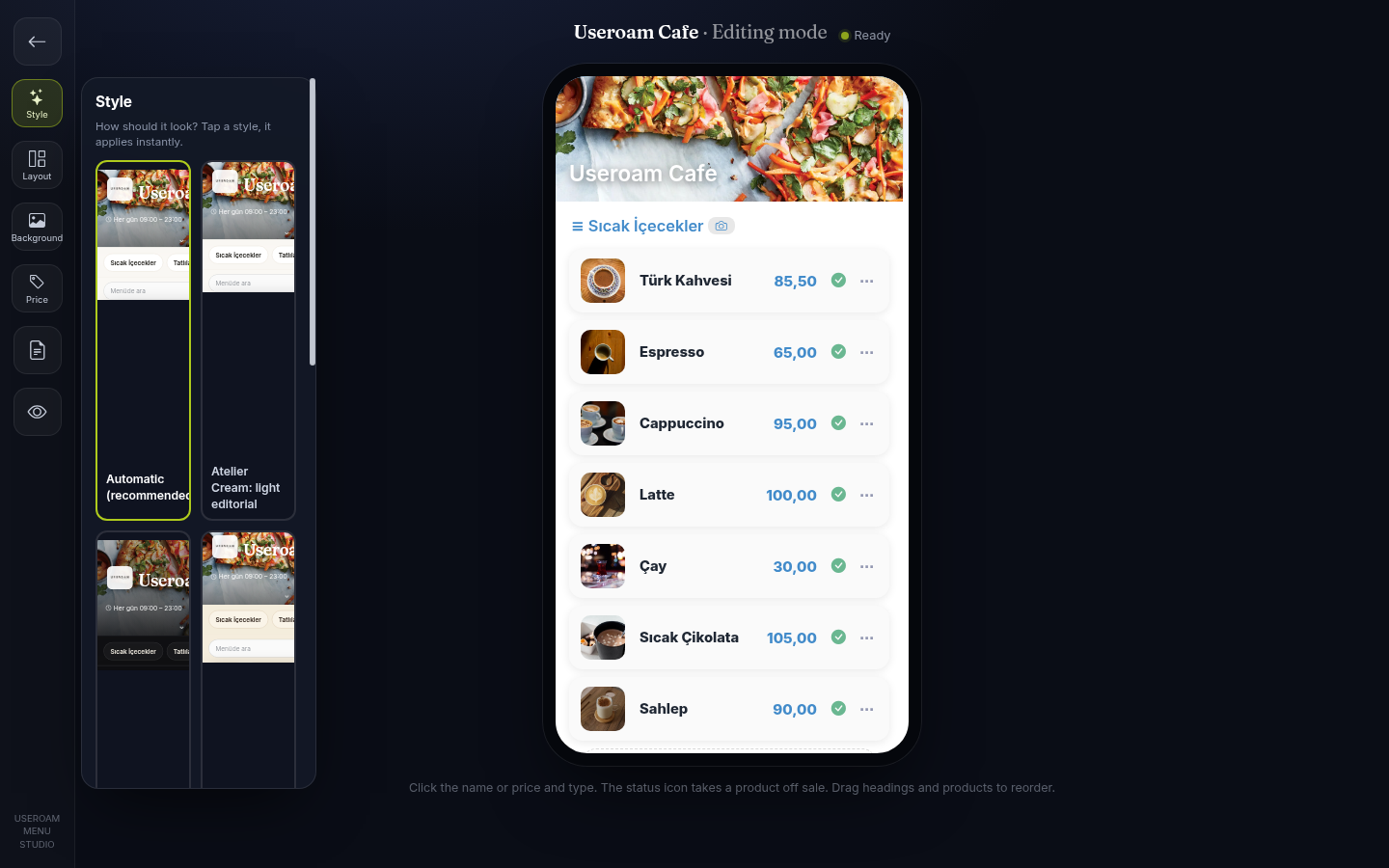
- Set the look. In 🎨 Studio choose the style, layout and background; each choice applies to the published menu at once. Details: Menu Studio.
- Open Menu Settings. In the editor open the Menu Settings card: enter phone, address and working hours; turn on Accept orders from the QR if you take table orders; turn on Show a Menu button on the Wi-Fi login page if you want the menu on the Wi-Fi page; keep Menu published on. Click Save.

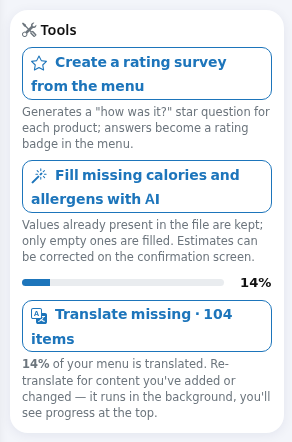
- Translate. If you chose more than one language, click Translate missing in the Tools card; translation finishes in the background in seconds.
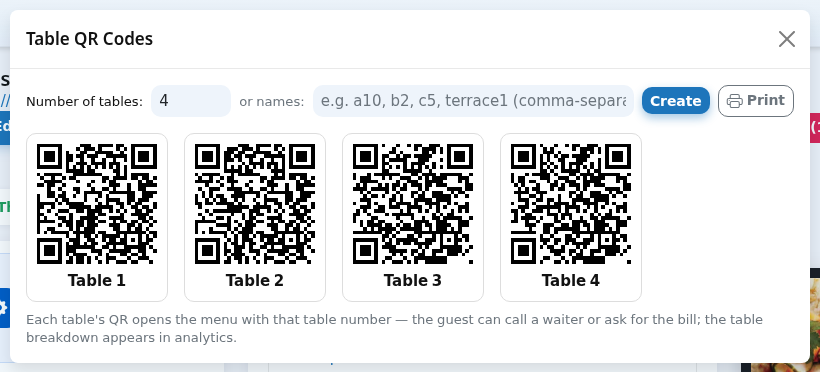
- Print table QRs. Click Table QR, enter the number of tables or table names, then Create and Print. Stick each QR on its own table; the general QR Code (for the entrance or window) carries no table, so it shows no call or order buttons.
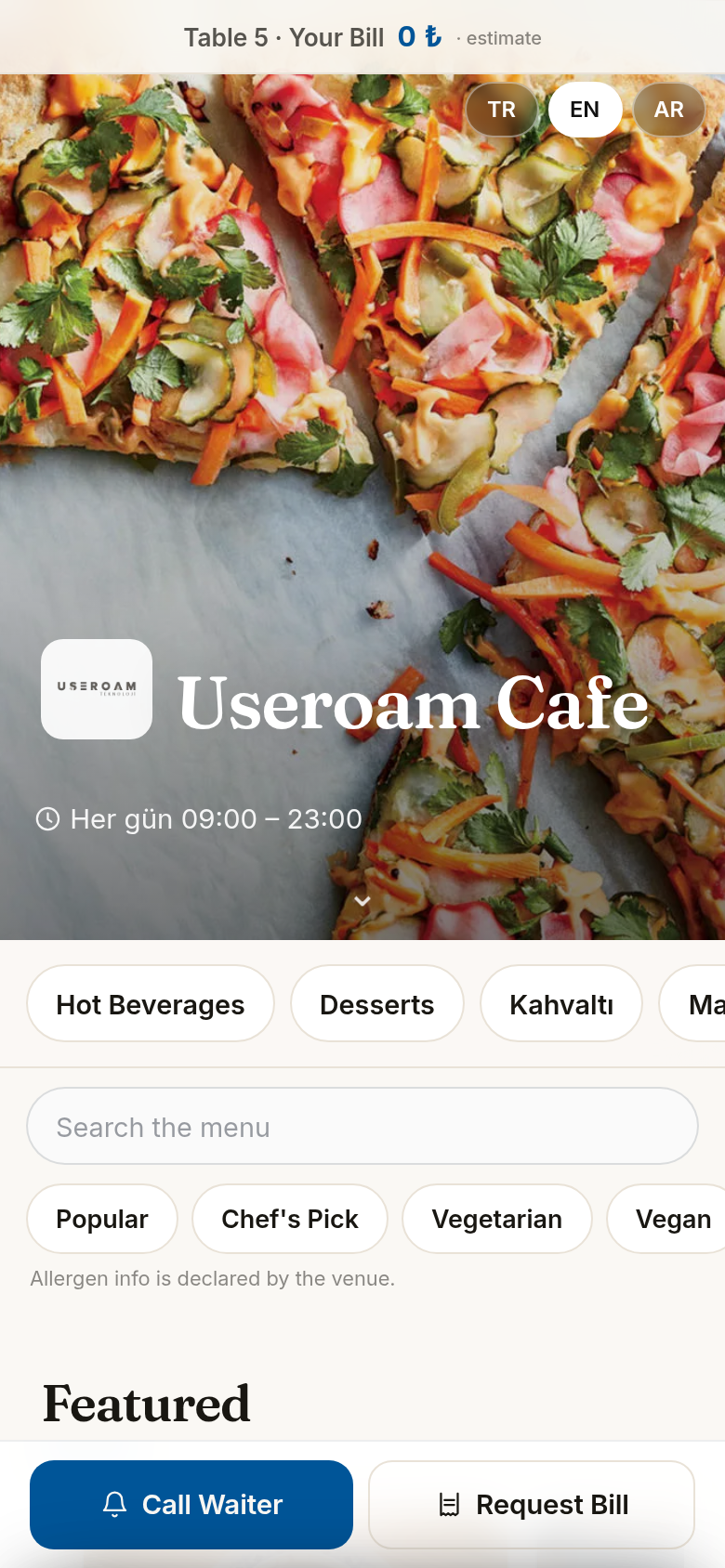
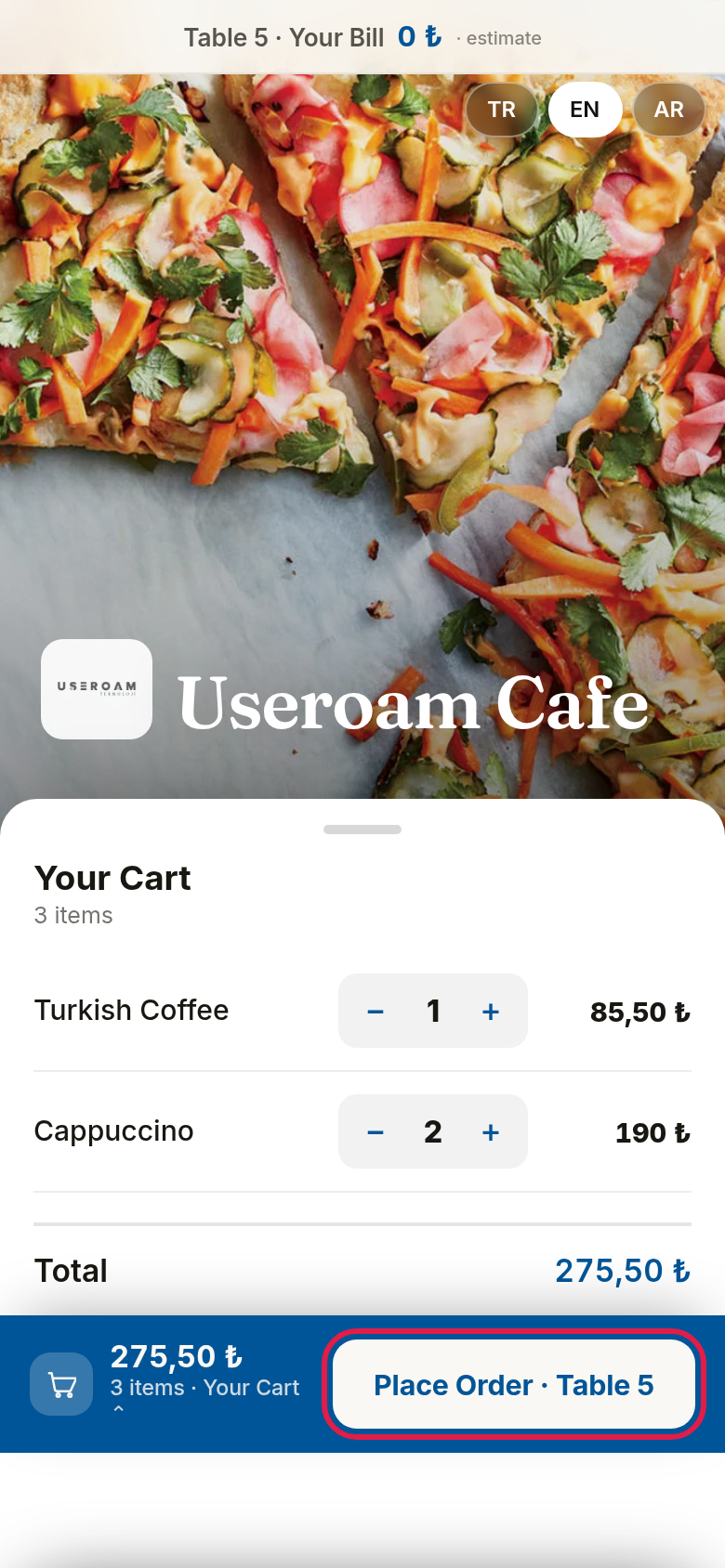
- Try the guest side. Scan a table QR with your phone. A "Table 5 · Your Bill 0 ₺ · estimate" strip shows at the top and Call Waiter and Request Bill at the bottom. Guests change the language with the buttons at the top right.
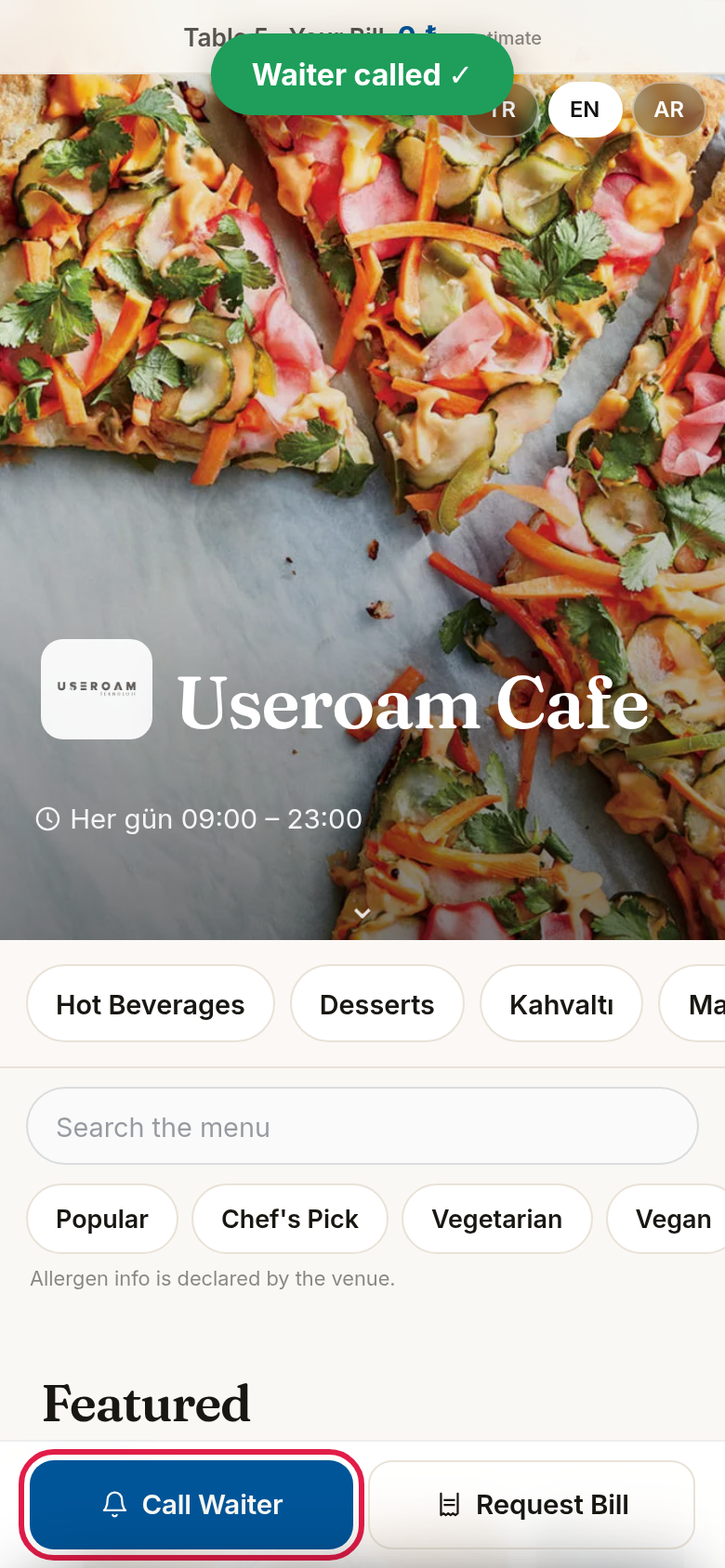
- Tap Call Waiter. The screen shows a confirmation and the call lands on the Operations Screen.
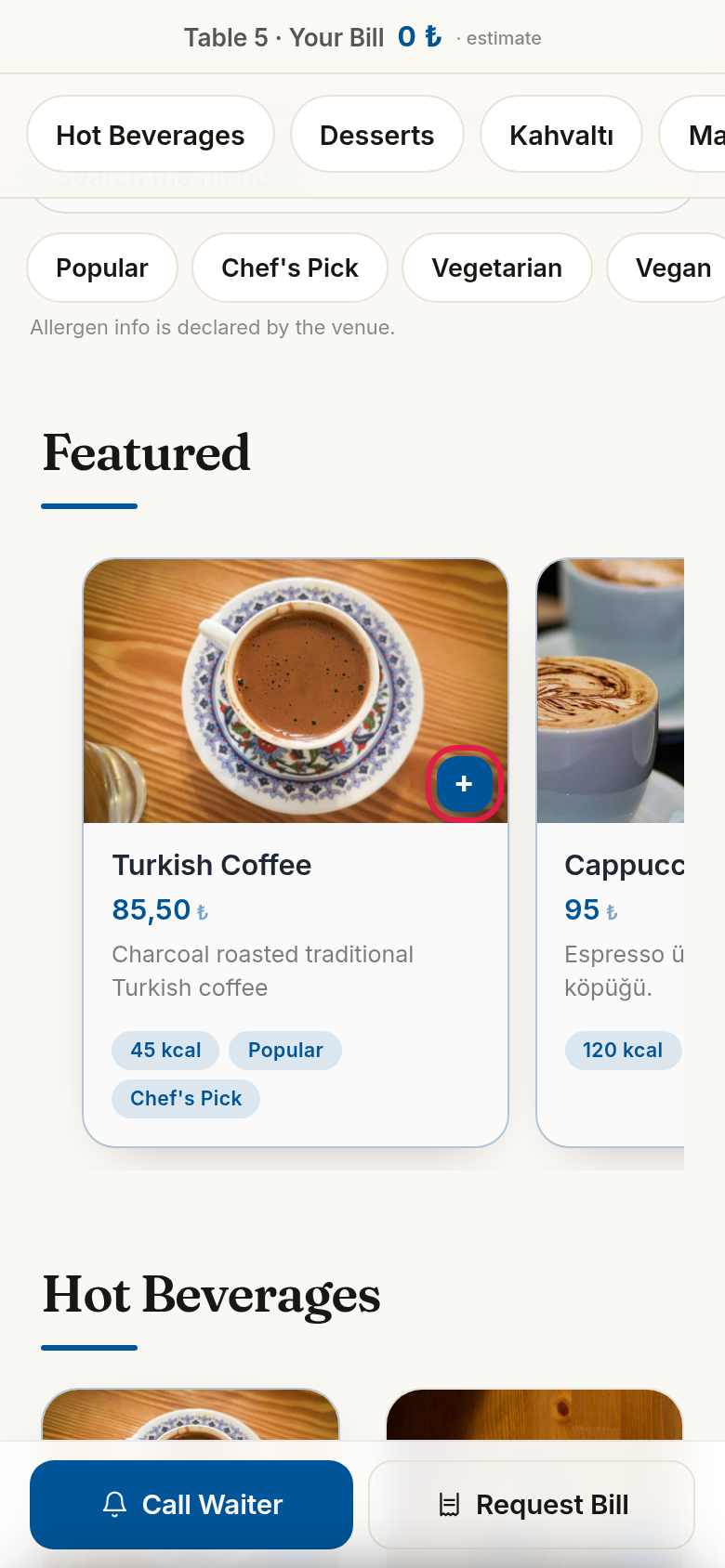
- If ordering is on, add a product with the + button on its card (or Add to Cart in the product detail).
- Tap the cart bar at the bottom: Your Cart opens; change quantities with − / + and tap Place Order · Table 5. On success it says "Order received ✓", otherwise "Could not send, please retry"; the bill amount at the top updates.
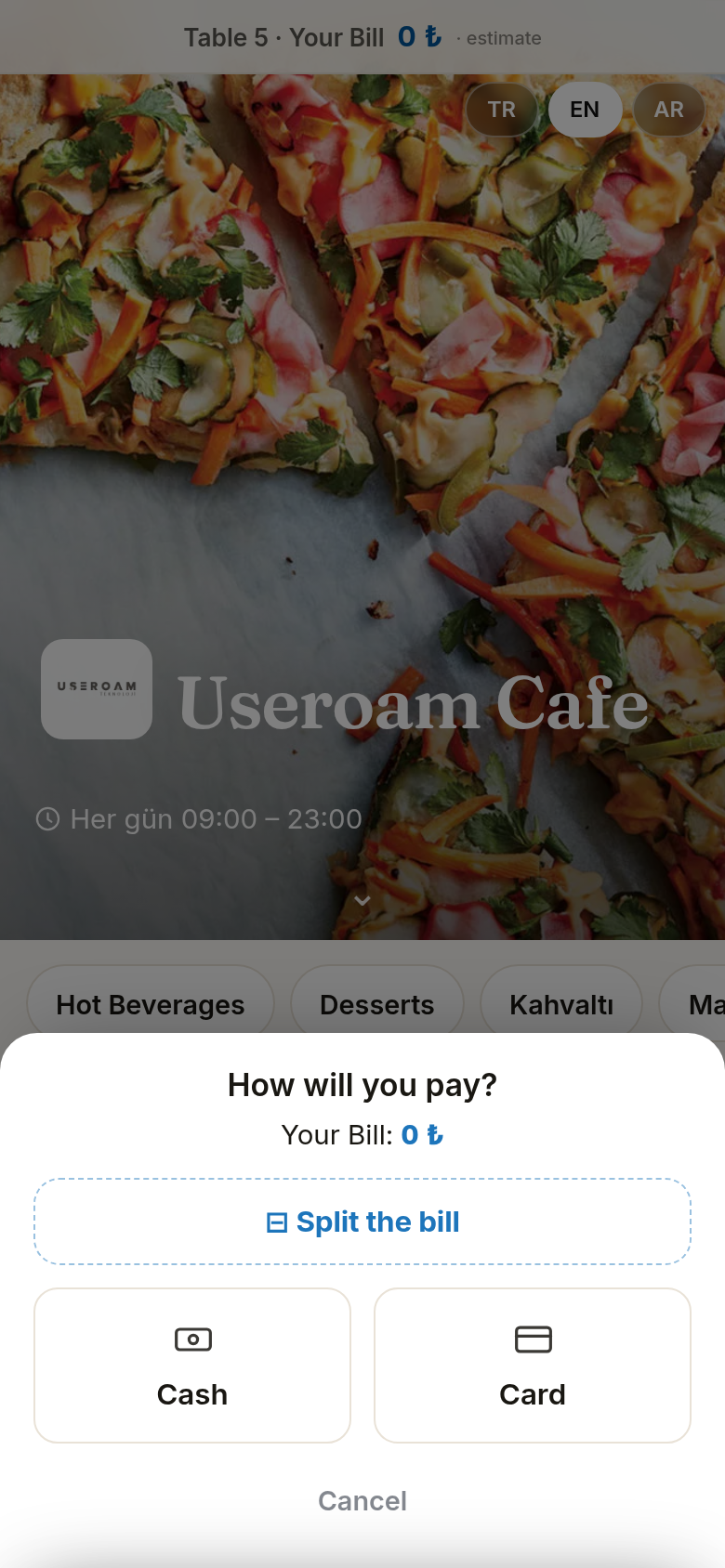
- Tap Request Bill: the payment window asks how the guest will pay, Cash or Card (the cancel button closes it). A confirmation with the payment type appears.
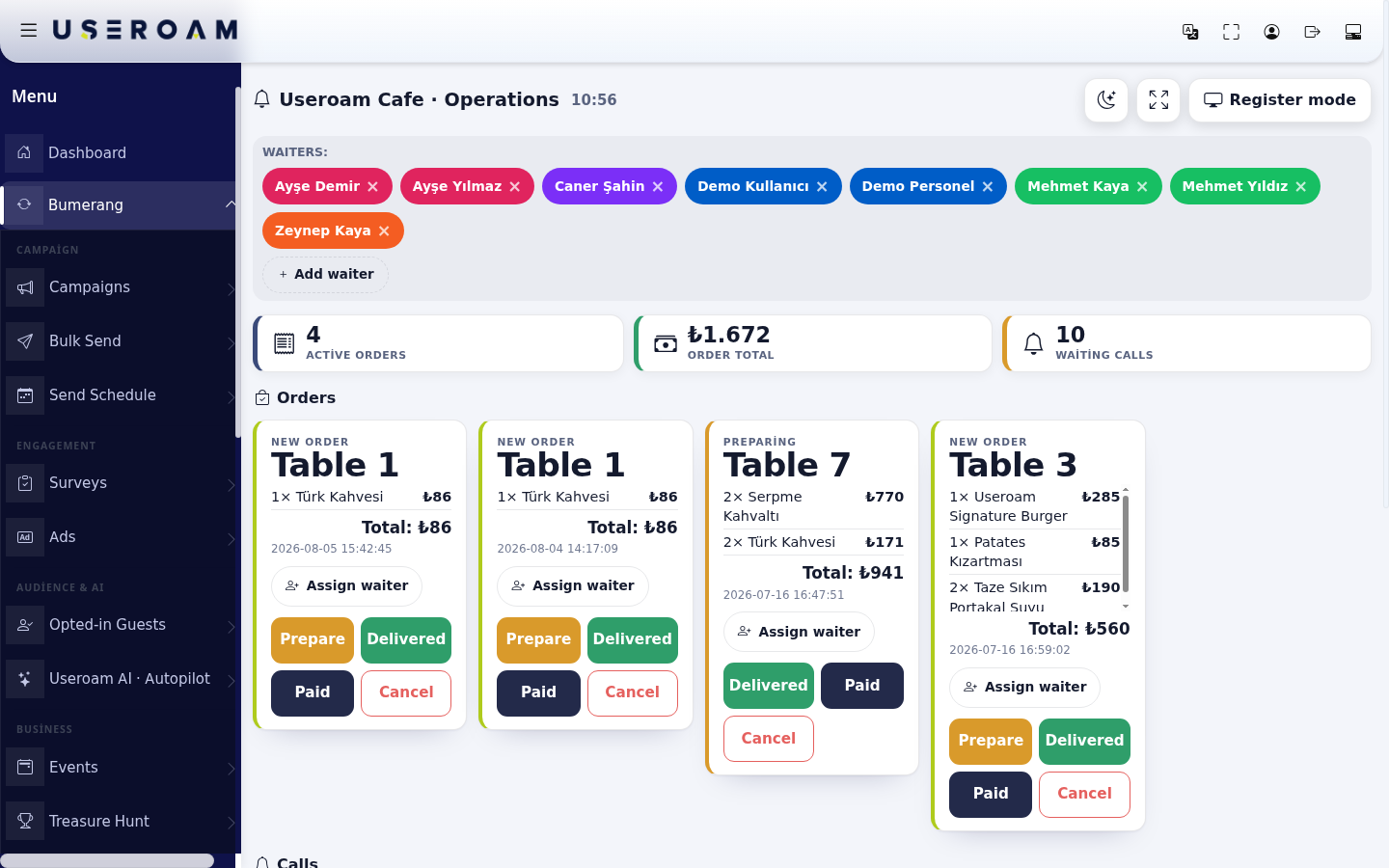
- Handle it in the panel. On the Operations Screen, close the call with Done and run the order with Prepare, Delivered and Paid. Details: Operations Screen.
Items on the guest page
| Item | What it does |
|---|---|
| Bill strip (Table 5 · Your Bill · estimate) | The table's order total for today; shown only with a table QR and ordering on. |
| Language buttons (TR, EN, AR...) | Menu language. Only the menu's languages appear. |
| Category buttons, Search the menu, filters (Popular, Chef's Pick, Vegetarian...) | Finding products. Below: "Allergen info is declared by the venue." With no match: "No items match these filters". |
| Featured strip | Products shown in the showcase. |
| Product card and detail | Name, price, description, calories, tags; in the detail Portion options, Extras, Goes well with, allergens, rating. Outside sale hours: "Not available now". |
| Call Waiter / Request Bill | Send a call; only on a menu opened from a table QR. |
| Cart bar, Your Cart, Total, Place Order | Table ordering; only when ordering is on. |
The old restaurant guest request page
The first version of the restaurant module had a separate page where guests opened requests (menu.useroam.com/rs/...; older printed QRs use /o/...). The panel no longer shows a link to it; for new setups the guest surface is the QR menu. If you have these old QRs printed, we recommend replacing them with table QRs. The /rs/ address still opens and sends requests to the Requests list; old restaurant QRs starting with /o/ currently show an error (reported to the product team).
Frequently asked questions
The Call Waiter button is missing.
There is no add-to-cart button.
Guests scanning the QR see a "not published" page.
A welcome page opens; I want the menu to open directly.
Turn off Feedback & suggestion box in Menu Settings; the QR then opens the menu directly.