
Retail Studio
What is it for?
Retail Studio changes how the store page looks on your customers' phones: primary colour, light or dark background, font, corner rounding, logo and background image. Every change is saved instantly and shows in the phone preview on the right.
The subtitle under the screen title reads "Store name · change the design, see it instantly on the right".
When to use it
- When you want your own logo and colour on the store page.
- When you want a seasonal background image for a campaign.
- When you want to hide the logo or image that comes from your guest Wi-Fi portal on this page.
Before you start
- A store must exist first. Without one this screen sends you to Store & QR Registration.
- If you upload nothing, the logo, background and button colour come from your guest Wi-Fi portal.
- There is no Save button on this screen. Each choice is saved as soon as you make it.
Step by step
- Open Retail > Studio in the left menu (or the purple Studio or Logo · Color · Background button on the store screen). Live page at the top right opens the customer page in a new tab.
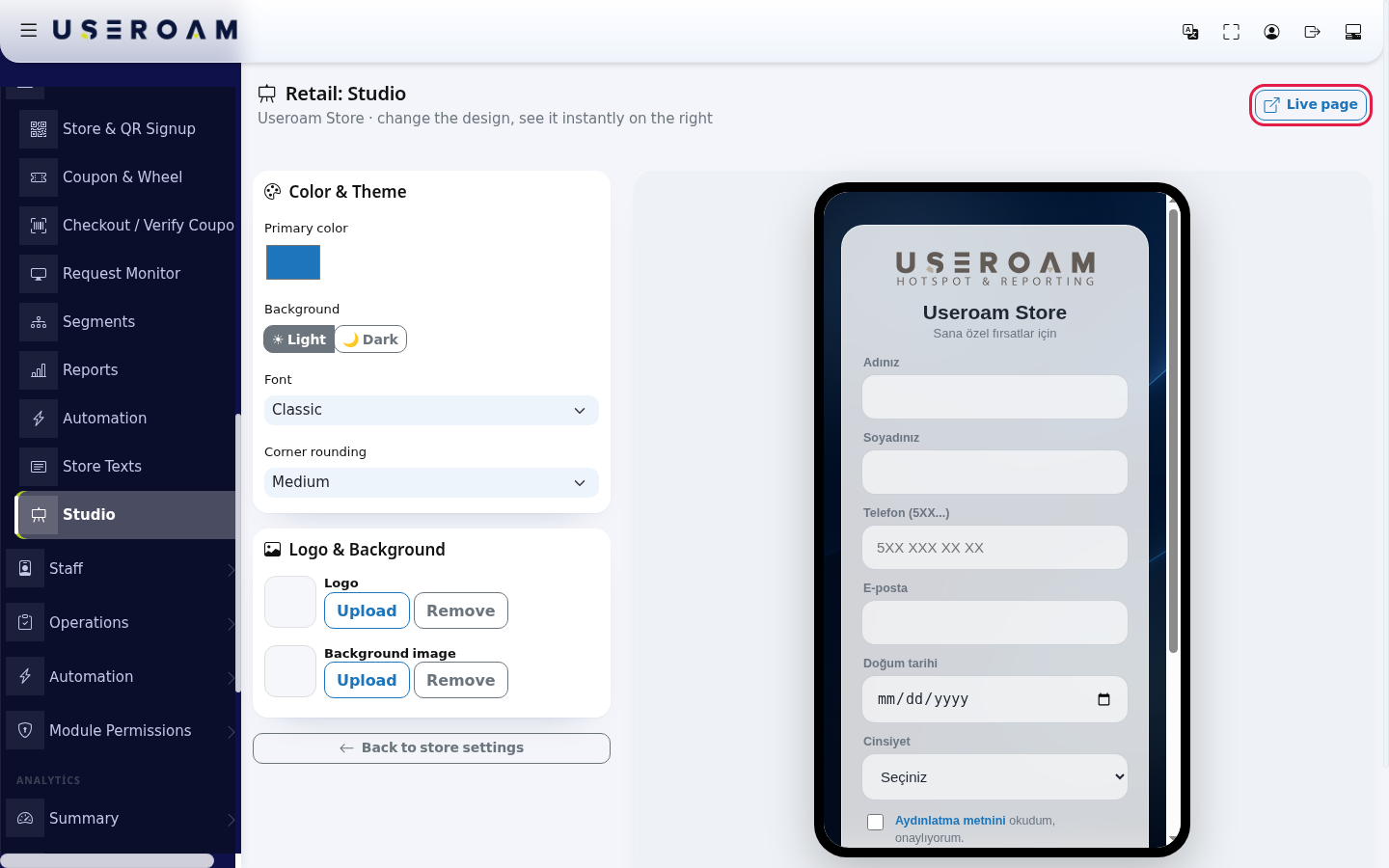
- In the Color & Theme card, click the colour box to choose the Primary color. Choose Light or Dark under Background, Classic, Modern, Elegant (serif) or Plain under Font, and Slightly rounded, Medium or Very rounded under Corner rounding. The preview refreshes after each choice.
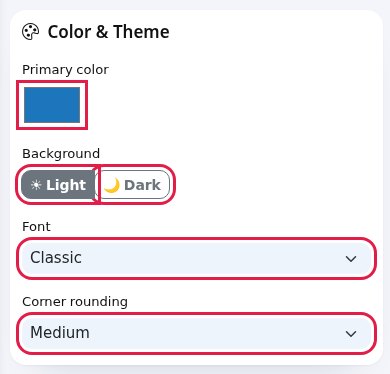
- In the Logo & Background card, press Upload next to Logo or Background image and pick an image. The card shows "Uploading…", then "Uploaded", and the thumbnail appears. Remove deletes the image ("Removed").
- When you are done, press Back to store settings.
Every field and button
| Field / Button | What it does |
|---|---|
| Primary color | Colour of buttons, links and the coupon code. If you keep the default blue, your guest Wi-Fi portal's button colour is used. |
| Background: Light / Dark | Whether the form card looks light or dark. |
| Font | Classic, Modern, Elegant (serif), Plain. |
| Corner rounding | Slightly rounded, Medium, Very rounded. |
| Logo · Upload / Remove | The logo above the form. Remove also hides the portal logo on this page. |
| Background image · Upload / Remove | Image behind the page. If removed, a coloured animated background is shown. |
| Live page | Opens the customer page in a new tab. |
| Preview note | "Live preview: changes apply instantly". |
| Back to store settings | Returns to Store & QR Signup. |
Messages you may see
| Message | Meaning / what to do |
|---|---|
| Uploading… / Uploaded | The image is being sent / was saved. |
| Removed | The image was deleted. |
| Failed | The change could not be saved. If the image is too large or an unsupported format, try a smaller JPG/PNG; if it persists, reload the page and try again. |
| Create a store first | There is no store; create one on Store & QR Registration. |
Frequently asked questions
Where is the Save button?
There is none; every choice is saved instantly.
I removed the logo and the portal logo disappeared too.
Yes, Remove hides the logo completely on this page. Upload a logo to show one again.
The preview did not change.
It refreshes after every save. If it did not, reload the page or open Live page.