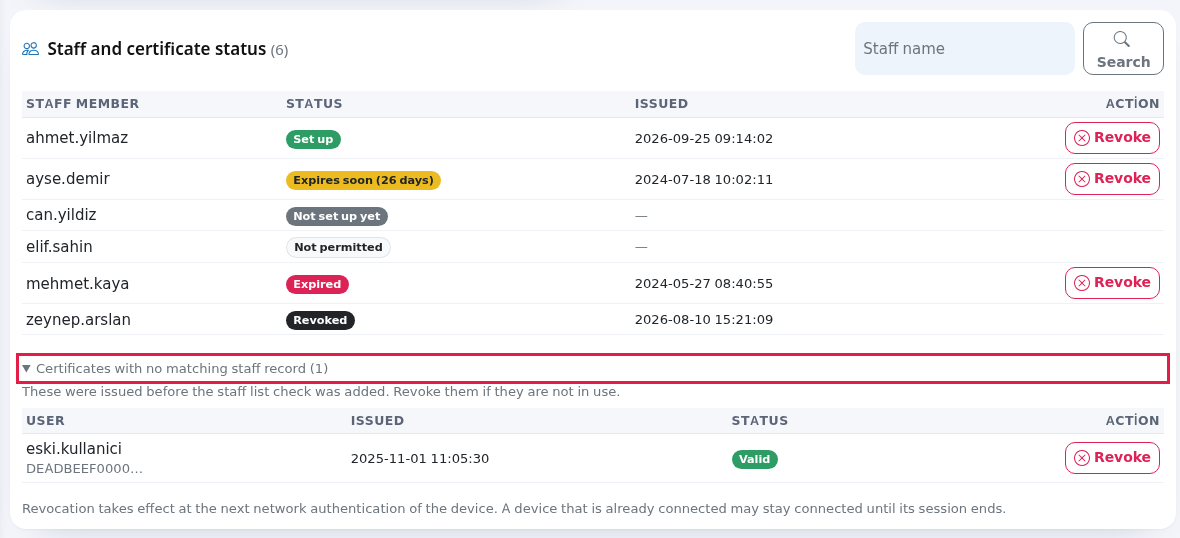
Certificates and Staff
What is it for?
The Staff and certificate status card lists everythe staff member on this device one by one and shows where each oneperson's stands.setup Thestatus. You close a departing employee's access here with the Revoke button.
When do you use it?
- When an employee leaves or loses their phone.
- When you want to see who has run the setup and who has not.
- To keep track of certificates that are about to expire (a look once a month is enough).
Before you start
- If the list is
staff-centred:emptypeopleitwithoutsaysa"Nocertificatestaffappearrecordstoo.Where ison thiscard?device.TheNobodylowercanhalf ofrun the setup until staff are added." Add staff first: Useroam Connector for Active Directory, otherwise New User (type Staff WiFi (certificate)).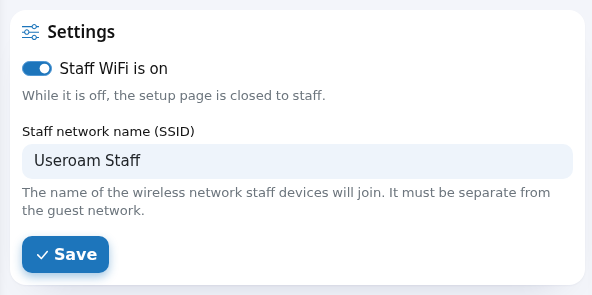
Step by step: closing an employee's access
- Open Staff WiFi
screen.in the left menu and scroll to the Staff and certificate status card at the bottom. The number next to theheadingtitle is the totalstaffnumbercount for the device.1. Status badgesSet up— has a valid certificate; the device can join the network.Not set up yet— theof staffrecord exists, the setup has not been run.Not permitted— the user type is not certificate. This person can open the setup link and still receive nothing. Do not confuse it with “Not set up yet”: this personcannotset up at all.Expires soon (%d days)— fewer than 60 days lefton thecertificate.device.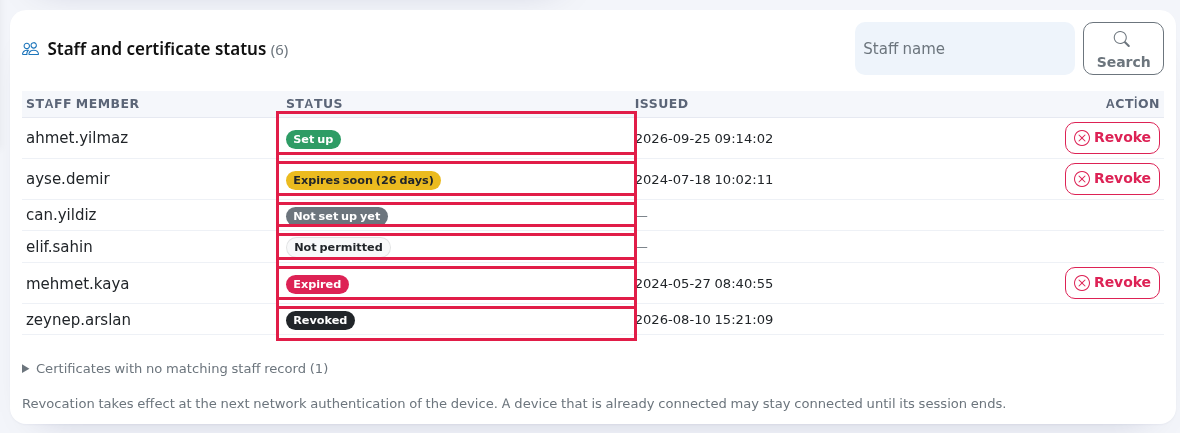
ExpiredTo—find thecertificateemployee,istypenopartlonger valid andof thedevice has dropped off the network.Revoked— an administrator revoked the certificate.
Certificates are valid for825 daysand arenot renewed automatically. When one expires the staff member drops off the network silently — and everyone who was set upname in thesame period dropstogether. When you see “Expires soon” badges, have those people run the setup again.2. Search and the list limitThe list shows at most100 staffat a time. If there are more, you get“Showing %d of %d staff. Use the search box.”underneath. Type aStaff nameinto thebox at the top right and press Search.3. Revoking a certificateTo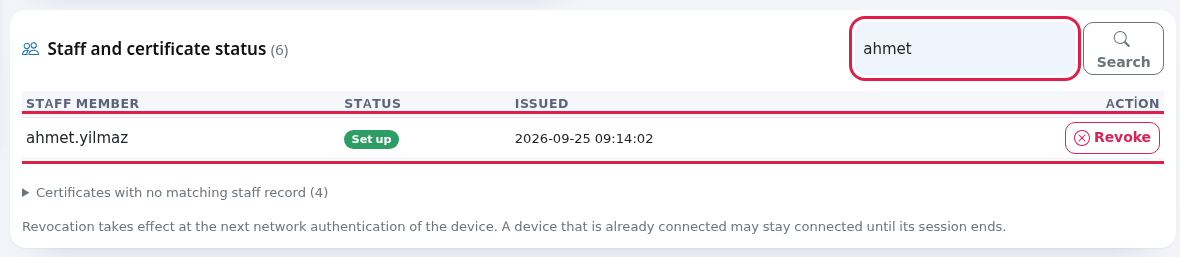
- Press Revoke
onattheirthe end of the row.A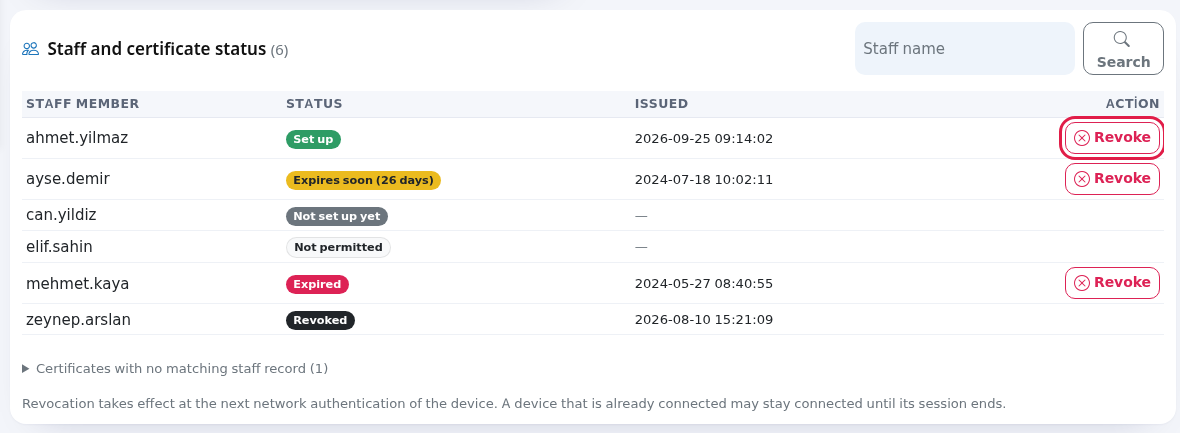
- The
appears:browser“asks "Revoke this certificate? The device will not be able to connect again and the staff member must run the setup once more.”" Press OK. Press Cancel to go back. - A green Certificate revoked. message appears at the top and the row shows the Revoked badge.
Revoking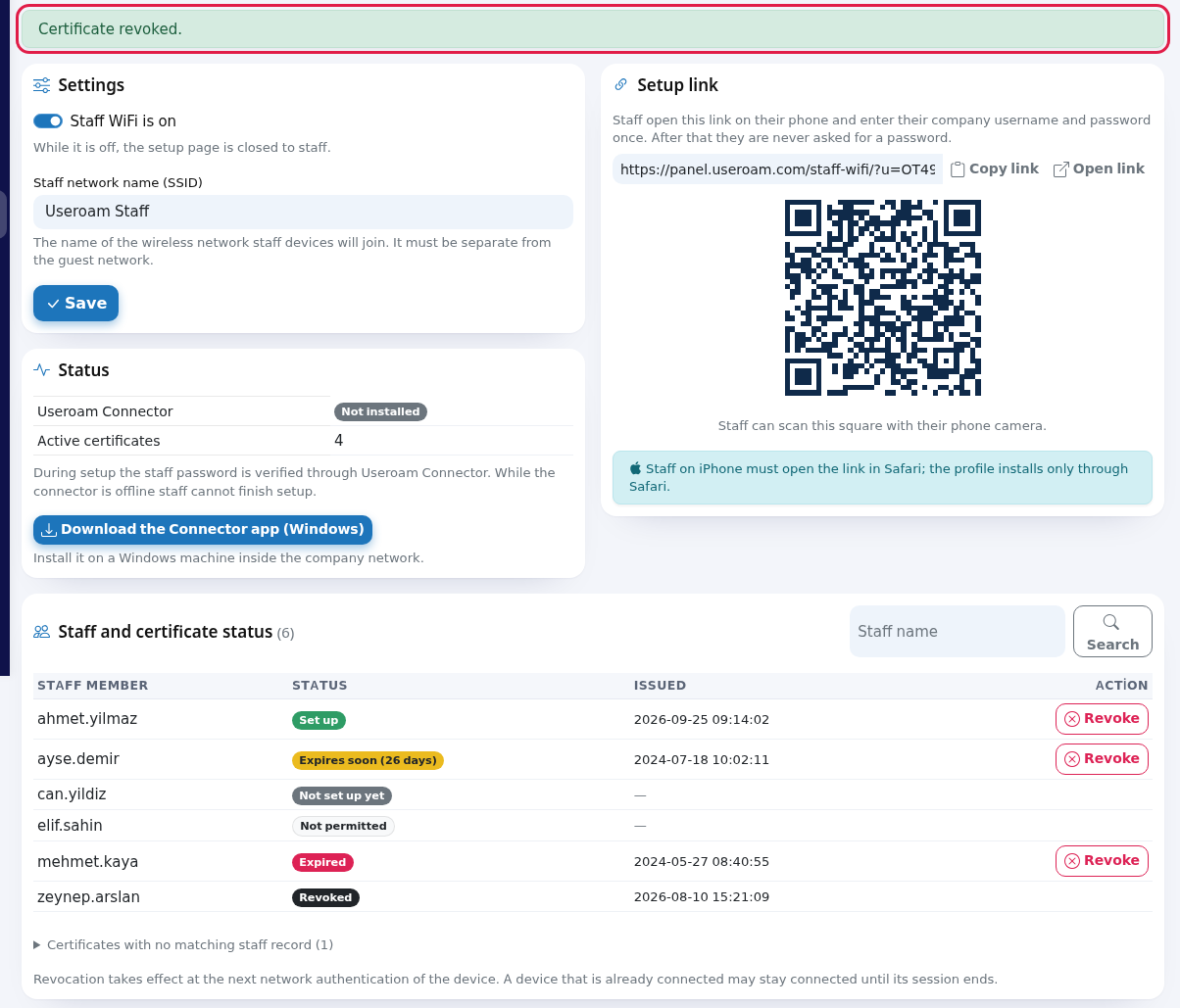
- If the employee has left for good, close their account too: delete or disable it in Local Users. If you use Active Directory, disable the account in the directory.
Status badges
| Badge | What it means | What to do |
|---|---|---|
| Has a valid | Nothing. | |
| Not set up yet (grey) | Has a staff record but has not run the setup. | Send the setup link. |
| Not permitted (white) | The local user was created as | If they need one, create them with the type Staff WiFi (certificate). |
| Expires soon (26 days) (yellow) | Less than 60 days left; the brackets show the days remaining. | Ask the employee to run the setup again. The new certificate replaces the old one. |
| Expired (red) | The certificate is no longer valid; the device cannot join. | Ask the employee to run the setup again. |
| Revoked (black) | The certificate has been revoked. | If the employee comes back, they run the setup again. |
Certificates are valid for 825 days and ahmet@company.local;do thosenot arerenew separatethemselves. records,Staff andwho leavingset oneup behindin wouldthe keepsame thatperiod deviceexpire on the network.same days; do not wait when you see yellow badges.
Every
Whenfielddoesandrevocationbuttontake effect?Aton thedevice'sscreen
Field / Button What it does Staff name box and Search Searches usernames. With no result it says "No staff member matches your search."
Staff member Company username. A short name ( ahmet) and a full name (ahmet@firma.local) count as the same person.Status One of the badges above. If the person has several certificates, the newest one decides. Issued When the newest certificate was issued. A dash if there is none. Action / Revoke Shown for valid or expired certificates; not shown for revoked ones. "Showing %d of %d staff. Use the search box." The list shows at most 100 people at a time. Example: "Showing 100 of 240 staff." Use the search box for the person you need. Note at the bottom of the card "Revocation takes effect at the next network authentication.authentication of the device. A device that is already connected may stay connected until its session ends."Ifyou need it off immediately, drop the device from the network side as well.
4. Issued certificates
A separate table lists the certificates produced on this device, withUser,Issued,Valid until,StatusandActioncolumns. The newest record is at the top.
If nobody has run the setup yet:“No certificates issued yet. They appear here once a staff member opens the setup link and completes it.”
5. Orphaned certificates
Below the staff list you may find a collapsible section headed“Certificates with no matching staffrecord”recordBelow the list you may see a folding section called Certificates with no matching staff record (1). When opened it shows the note "These were issued before the staff list check was
addedadded. Revoke them if they are not in use." andcannotabetabletiedwithtoUserany(with the start of the serial number below), Issued, Status (Valid or Revoked) and Action.
The owners of these certificates are not in the staff
list.record.Revoke them if they are not in
use.use:Aa valid certificate with no known ownermeansis a device that can join the networkandbut cannot be tracked in the list.Frequently
asked questionsI revoked it but the employee is still connected.
Revocation takes effect at the device's next network authentication. A device connected right now can stay connected until its session ends. If you must cut it off immediately, drop the device on the firewall side as well.The same person set up with both a short name and a full name.
Revoke closes all valid certificates of that person on this device together.Does revoking delete the staff record?
No. The person stays in the list with the Revoked badge. To delete the record, use Local Users.Should I revoke the old certificate of an employee who changed phone?
No need. When the new setup is done, the same person's older certificates are revoked automatically.Related
pagespages:Staff
Wi-Fi Administration →- Inviting
staff;Staff- Guests > Local Users
- Analytics and Reports
→> 5651 Logs.