
Store & QR Registration
What is it for?
Store & QR RegistrationSignup managesis the main screen of the Retail module. Here you set your retailstore store's digital customer registration pagename and the customer form, create QR pointscodes insidefor places such as the store.storefront, Afitting customerrooms scansor aisles, and watch the page customers see on their phone live on the right. All other Retail screens can be opened from here too.
When to use it
- When setting the store up for the first time (step by step: Setting Up Store QR Sign-up and the Coupon Wheel).
- When you want to change the questions or languages on the form.
- When you put a QR code in
theawindow,newthe fitting roomplace oratremovetheantill,oldfillsone. - When you want a
shortquickform,lookandatishowaddedmanytosign-upsyourwerecustomercollected.
Before
you start
- The
How do I open this screen?RetailFromsection in the leftmenu,menugoonlytoappears while the store is set up and on. If it is not set up, use theBumerangSet→up link of the Store (Retail) row in the Business Modules card of Module Permissions.- There is one store per device. To see another branch's store, first select that device in Device Selection.
Step by step
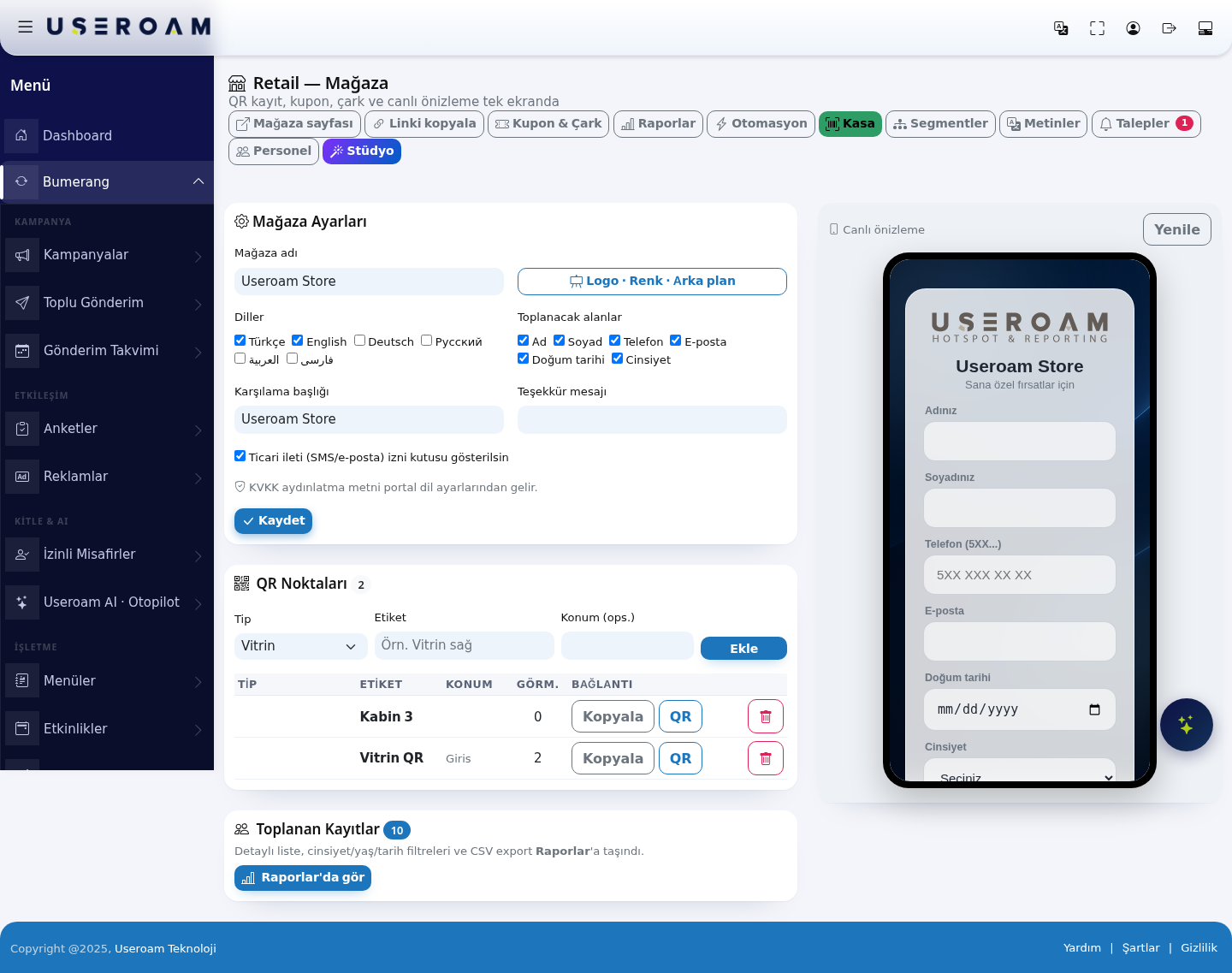
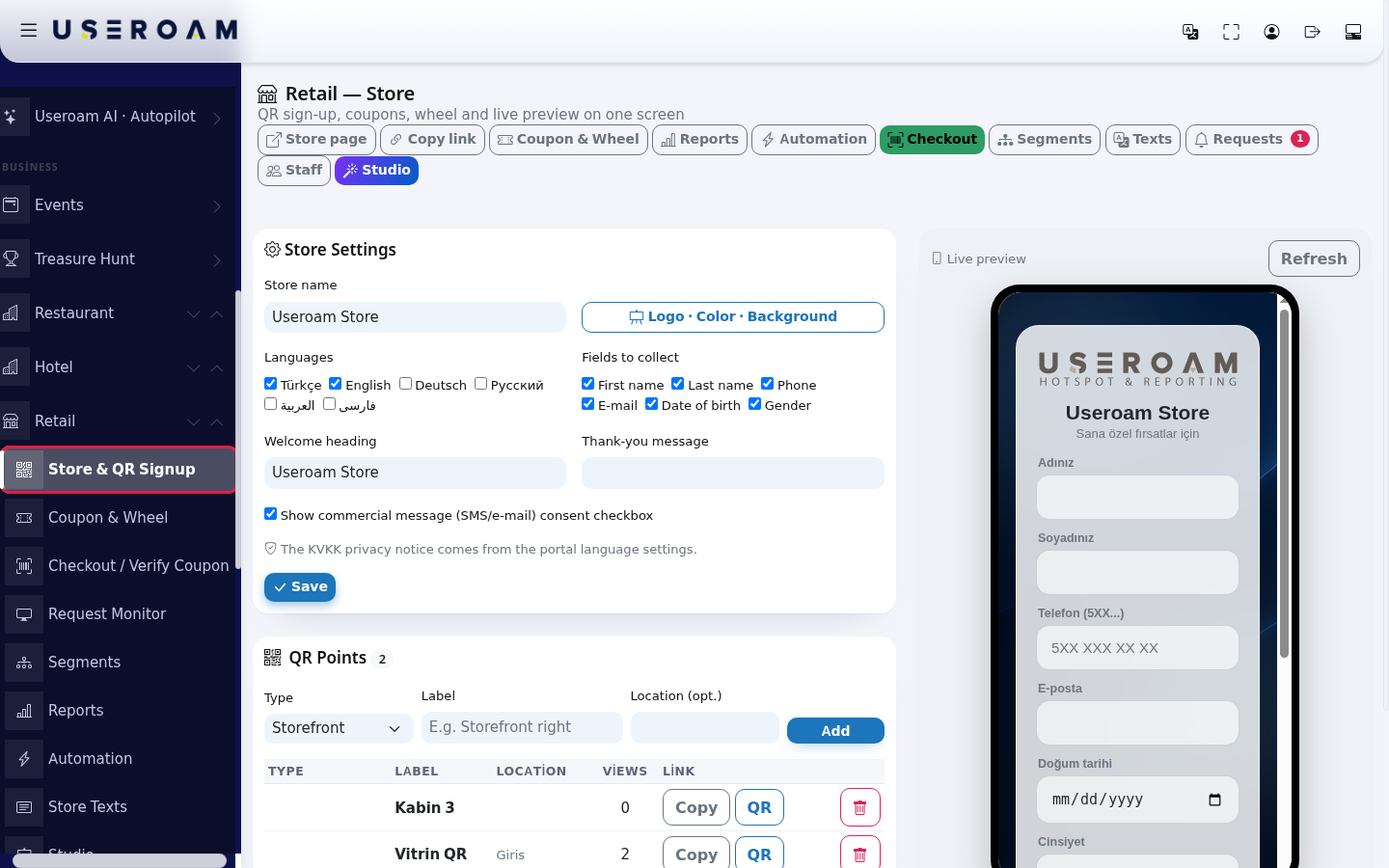
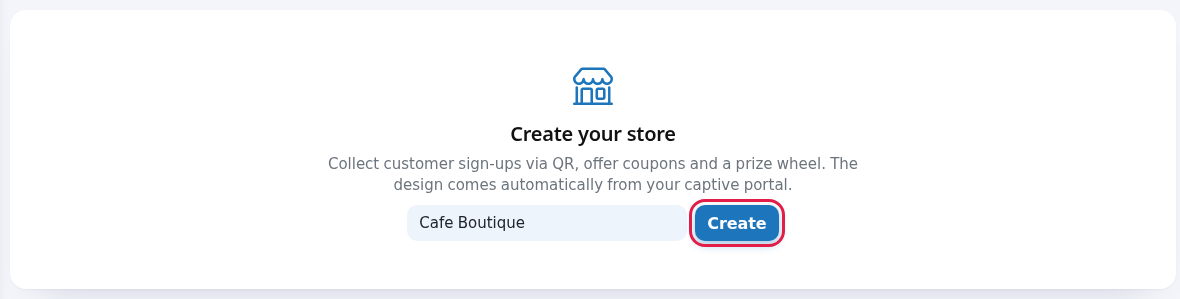

Buttons at the top

| Button | What it does |
|---|---|
| Store page | Opens the customer page in a new tab. |
| Copy link | Copies the store page address (without a QR point; counts as General). |
| Coupon & Wheel | Coupons & Wheel. |
| Reports | Retail Reports. |
| Automation | Automation rules. |
| Checkout (green) | Till / Coupon Validation. |
| Segments | Segments. |
| Texts | Store Texts. |
| Requests | Request Monitor. A red badge shows the number of open requests. |
| Staff | Store Staff. This screen is not in the |
| Studio (purple) | Retail Studio. |
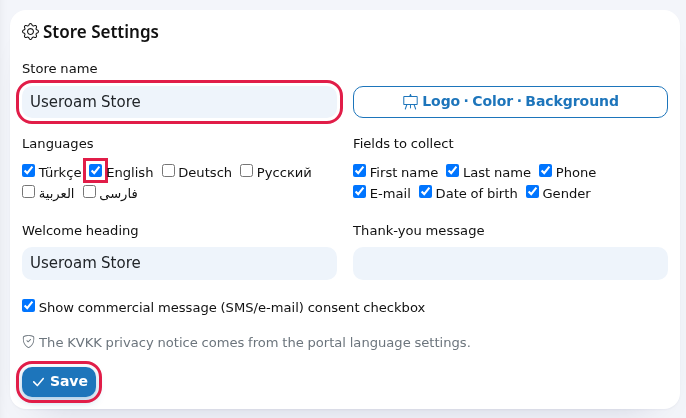
1.Every Store Settings
Store name:the name shownfield on thepagescreenField What it does Example Store name Required. Shown in the panel and as the browser tab title of the customer sees.page.Useroam- Store
Logo · ColourColor ·Background:BackgroundOpens editsStudio.theLanguages Languages visualcustomersidentitycan(takeschoose:you to the Studio).Languages:the languages the page is offered in —Türkçe, English, Deutsch, Русский, العربية,فارسیفارسی. With more than one, language codes (TR, EN..- appear at the bottom of the page. The first ticked language is the default. If none is ticked, Turkish is used.
Türkçe + English Fields to collect:collectchoose whatWhat the form asksasks:for:Firstname,name, Lastname,name,Phone,Phone,Email,E-mail, Date ofbirth,birth,Gender.Gender.If
Thenonemoreisfieldsticked,youFirstadd,name and Phone are used. If Phone is ticked, a valid mobile number is required; thelowerothersthemaycompletionberate.left empty.First name, Phone plus first name is usually enough; only ask for date of birth if you actually plan to run a birthday campaign.Welcome heading:headingThe thelargeheadingtext above the form.- Text entered here is the same in every language; for per-language text use Store Texts and leave this box empty.
Join usThank-you message:messagetheShort text shown after sign-up. Also the formsameisinsubmitted.every- language.
You are in.Show thecommercialcommercial-message (SMS/email)e-mail) consentbox:checkboxwhen enabled,Shows the customer"Iiswantaskedtoforreceivemarketingoffersconsent.viaThisSMS/e-mail." checkbox on the form. Customers who tick it (ETK consent) can receive automation and segment SMS. If you turn it off, no consent isrequiredcollected.Ticked beforeKVKK youprivacycannoticesendnoteThe campaigns.privacy noticeData-protection text:on thedisclosure textform comes from your guest Wi-Fi portal language settings. To change it: Editing PortalLanguageTexts.SettingsType ;it(QRis not written again on this screen.Confirm your changes withpoint)Storefront, SaveEntrance.,
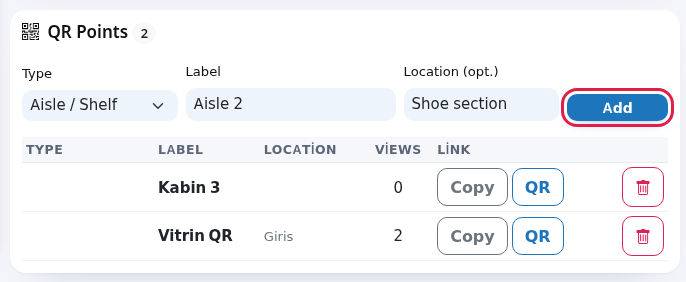
Checkout,2.General:QR PointsYou can define several QR codes insideopen thestoresign-upandform.measure each one's performance separately. To add a point:Type:Window,Entrance,Fitting Room, Aisle / Shelf,:TillopenortheGeneral.call-staff - screen. The type also appears as the sign-up source in reports.
Storefront Label:LabelRequired. aThenamepoint's name; also shown totellcustomersitasapartthe(fortitleexampleon"Cabinthe3").fitting- room/aisle screen.
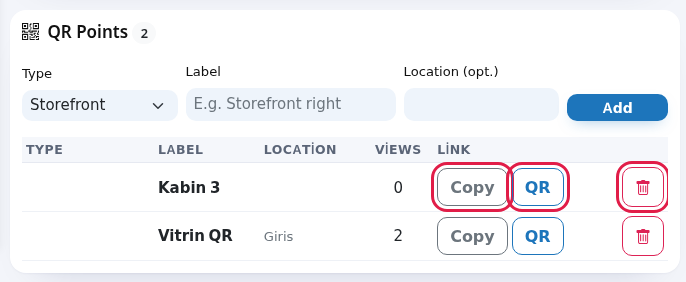
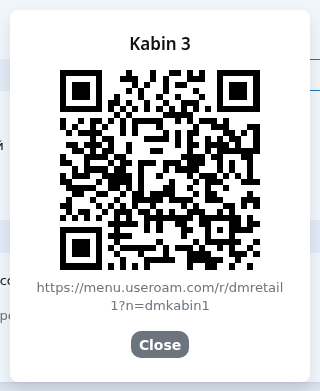
Fitting room 3Location ( optional):opt.)A wherenoteitforsitsyouinonly.Right of thestore.entranceAddViewssaves it.Table columns:TYPE,LABEL,LOCATION,VIEWS(howHow many times the codepoint's QR wasopened)opened.2 andLINKLink. Each row carriesCopy (puts the link on the clipboard)and QR buttons.Collected Sign-ups Total sign-ups. The ETK badge next to it counts people who gave commercial message consent ( downloadsthis badge may currently be hard to read on thecode)lightbuttons.background).10 WhyseparateMessages
points?you may seeMessage Meaning / what to do Store created. The viewstorecountsisshowsetwhichup;locationcontinueactually works. Ifwith thewindowsettings.QRSaved. Settings saved. Update the preview with Refresh. Store name is neverrequired.Fill scanned, you need to move it or make it bigger.3. Collected RecordsShowsin thetotalname.numberQR ofpointrecords and how many of them gave commercial-message consent.added.The detailedpointlist,wasthe gender/age/date filters and CSV export have movedadded to theReportslist.screenLabel —isuserequired.Give the Seepoint a name.Deleted. The point was deleted. A printed QR for it now opens the sign-up form as a General sign-up; the fitting room/aisle screen no longer appears. No QR points yet. The list is empty; add one with the form above. Frequently asked questions
The Type column looks empty.
The type is saved; its badge colour currently makes it hard to read inReportsthelinklist. Scan the QR togetseethere.which screen it opens.I
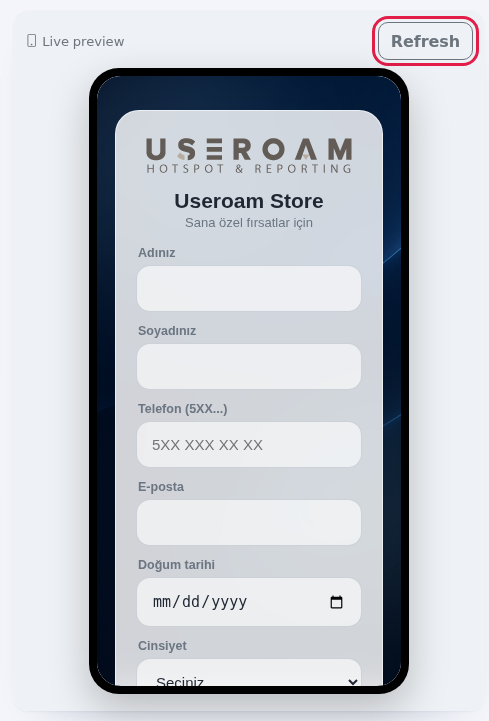
the4.cannotLivechangepreviewTheprivacy notice here.
It comes from the guest Wi-Fi portal language settings. Change the KVKK field on Editing Portal Texts; the store pageasupdates too.How do I download the
customersign-ups?
WithwillDownloadsee it is shown liverecords on Retail Reports. Names, phones and e-mails in theright.fileUseareRefreshmaskedtoforupdate it.KVKK.Is there a separate file for printing the QR?
No. Take a screenshot of the QR window, or copy the address and create the code with your own QR tool.Related
pages:pagesRetail