
Sophos API Connection
Current guide: the up-to-date step-by-step guide is on the Sophos Firewall API Setup page. This page only summarises the three basic steps on the Sophos side.
Useroam uses the Sophos Firewall API to create and remove hotspot user sessions automatically. This page shows how to create the API user and grant the API permission on the Sophos side.
When do I need this? Complete these steps after the Sophos Integration Guide, whenever Useroam has to manage users over the API.
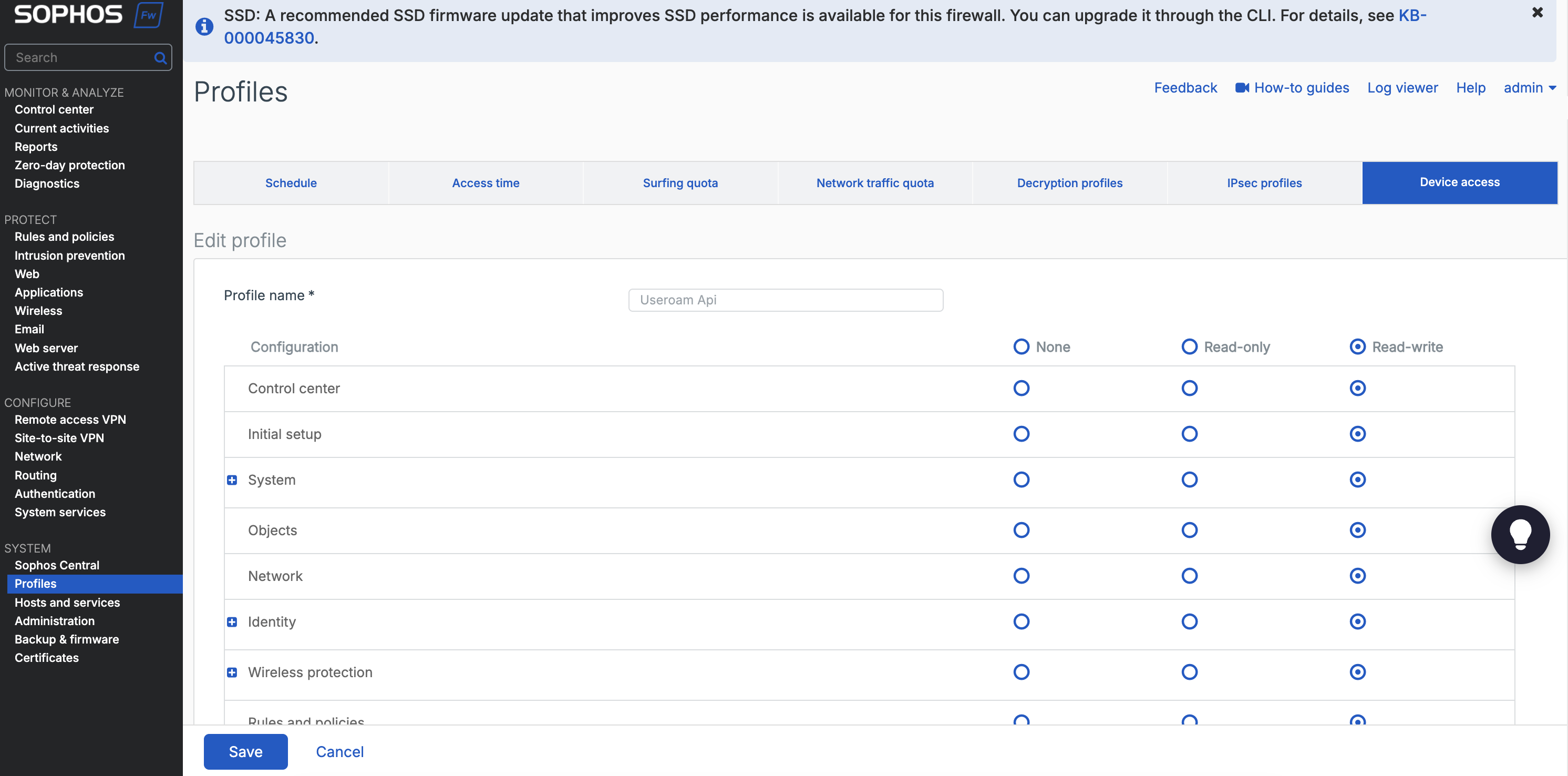
Creating a new profile
In Sophos, go to Profile > Device Access in the left menu and create a new profile. Grant all permissions.
Creating the API user
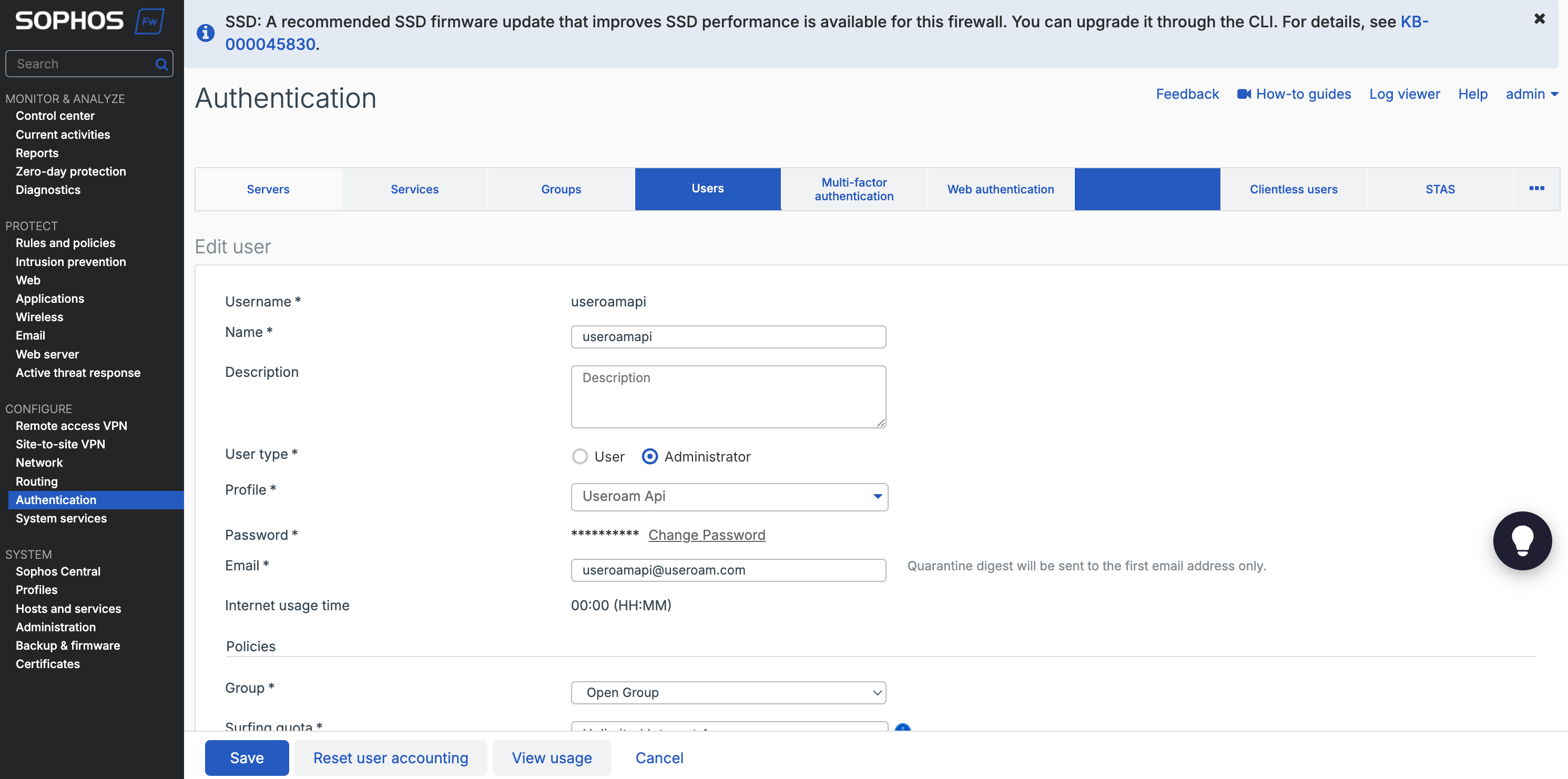
In Sophos, go to Authentication > Users > New user in the left menu and create a new user. For User Profile, select the profile you created in the previous step.
Granting the API permission
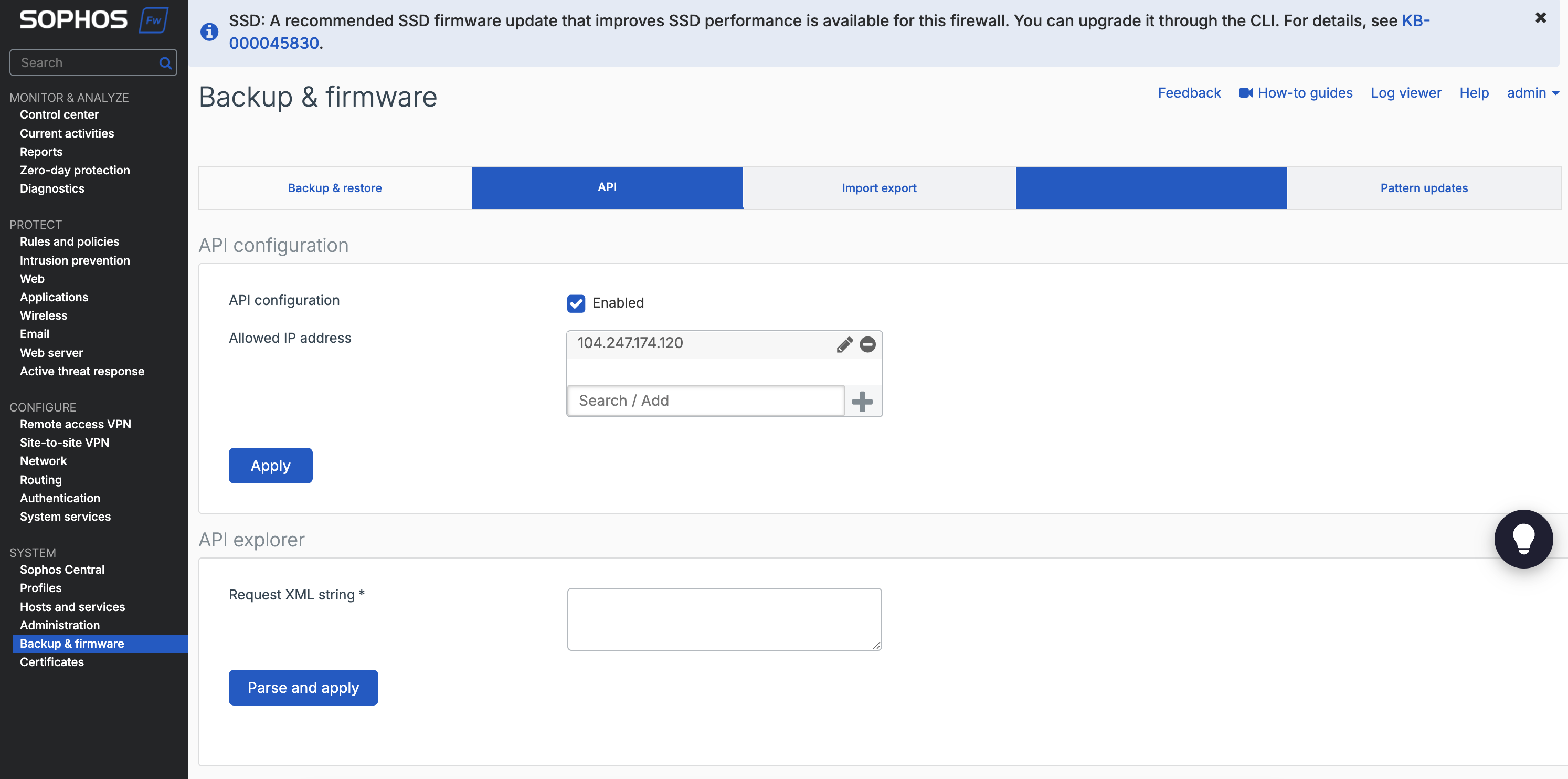
In Sophos, open Backup & Firmware from the left menu, switch to the API tab, add the entry below to the API Configuration field and click +.
Tip: the API user's credentials must match the ones entered on the device record in the Useroam panel. If you change the password later, update it in the panel as well.