
My Devices and Logs
What is it for?
This page describes the two screens in the console's STATUS group:
- My Devices: a single overview of every MikroTik device assigned to you (A single overview of every MikroTik device assigned to you.). You see at a glance which device is online, which cannot be reached and which was never connected.
- Logs: the device's own event log (The event log of the device. This is where you look when investigating a problem.).
When do you use it?
- You have several branches and want to see which device is not working (My Devices).
- A guest says "I cannot log in" and you want to see what happened on the device (Logs).
- Support asked you for the device's recent events (Logs).
Before you start
- My Devices only appears in the menu when your account has more than one MikroTik device. With a single device this section is not in the menu.
- Both screens only show information; nothing on the device is changed here.
Step by step
Open My Devices. In the left menu press STATUS > My Devices. In the Your MikroTik Devices card (every MikroTik device assigned to you) each device is one row. Columns: Device, Address, Status, RouterOS, Uptime and CPU. The row of the device open in the console has a grey background and you are on this device next to it.
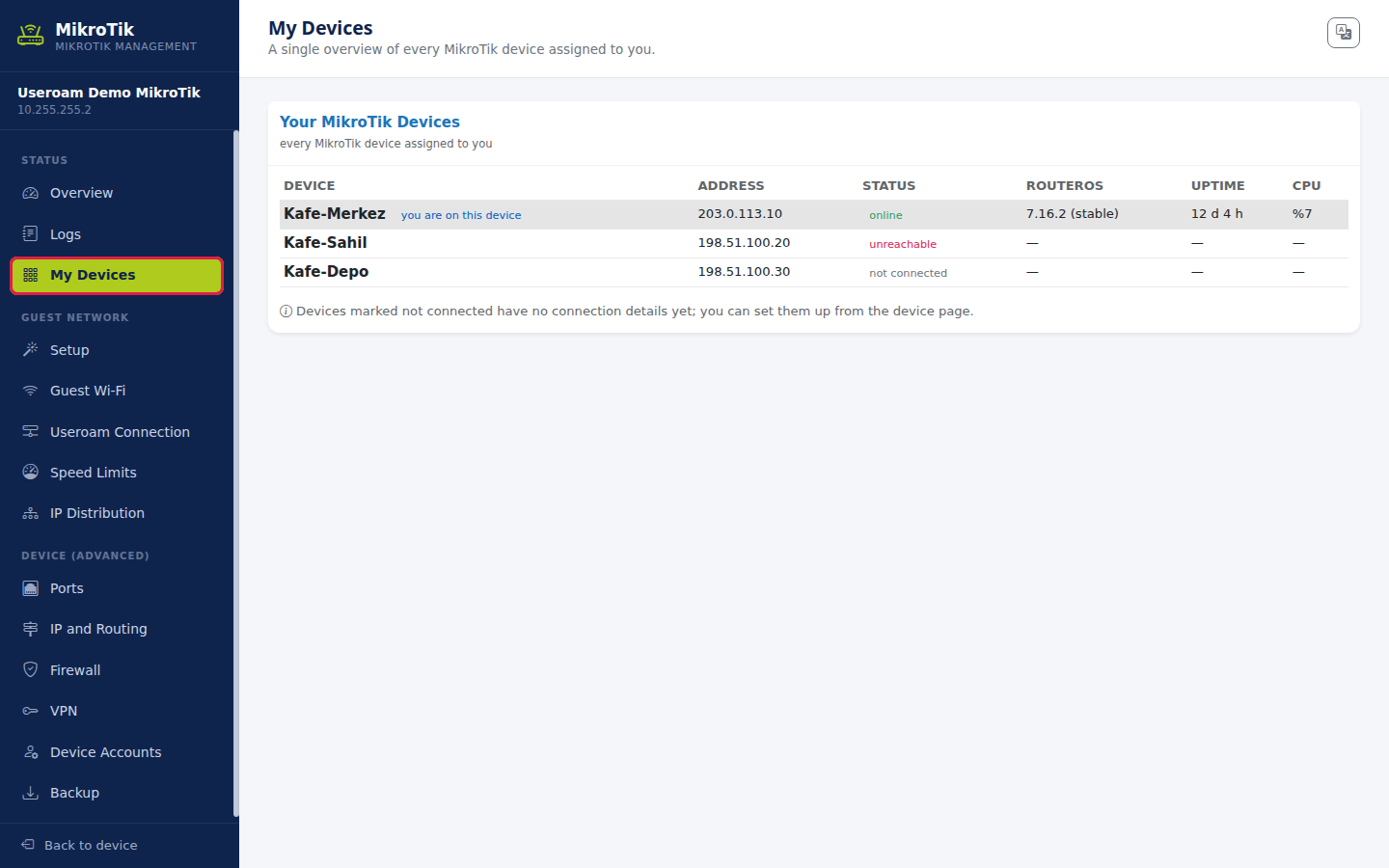
The three devices in the image are samples; the screen only appears for accounts with several devices, so it was prepared with sample data.
Read the Status column. online (green): the panel reaches the device. unreachable (red): the connection is set up but the device is not answering right now. not connected (grey): no connection details have been entered for this device yet. Below the list it reads Devices marked not connected have no connection details yet; you can set them up from the device page. To open another device's console, choose it on the panel's Device Selection screen; this screen has no switch link.
Open Logs. In the left menu press STATUS > Logs. The Recent Events card lists the device's events as they come from the device: time (time), topic (topics, e.g. hotspot,account,info) and message (message). The field names being verified badge next to the title means the columns are shown with the device's own English names. In a long list use the Search this list box (e.g. the last digits of a phone number, or logged in).
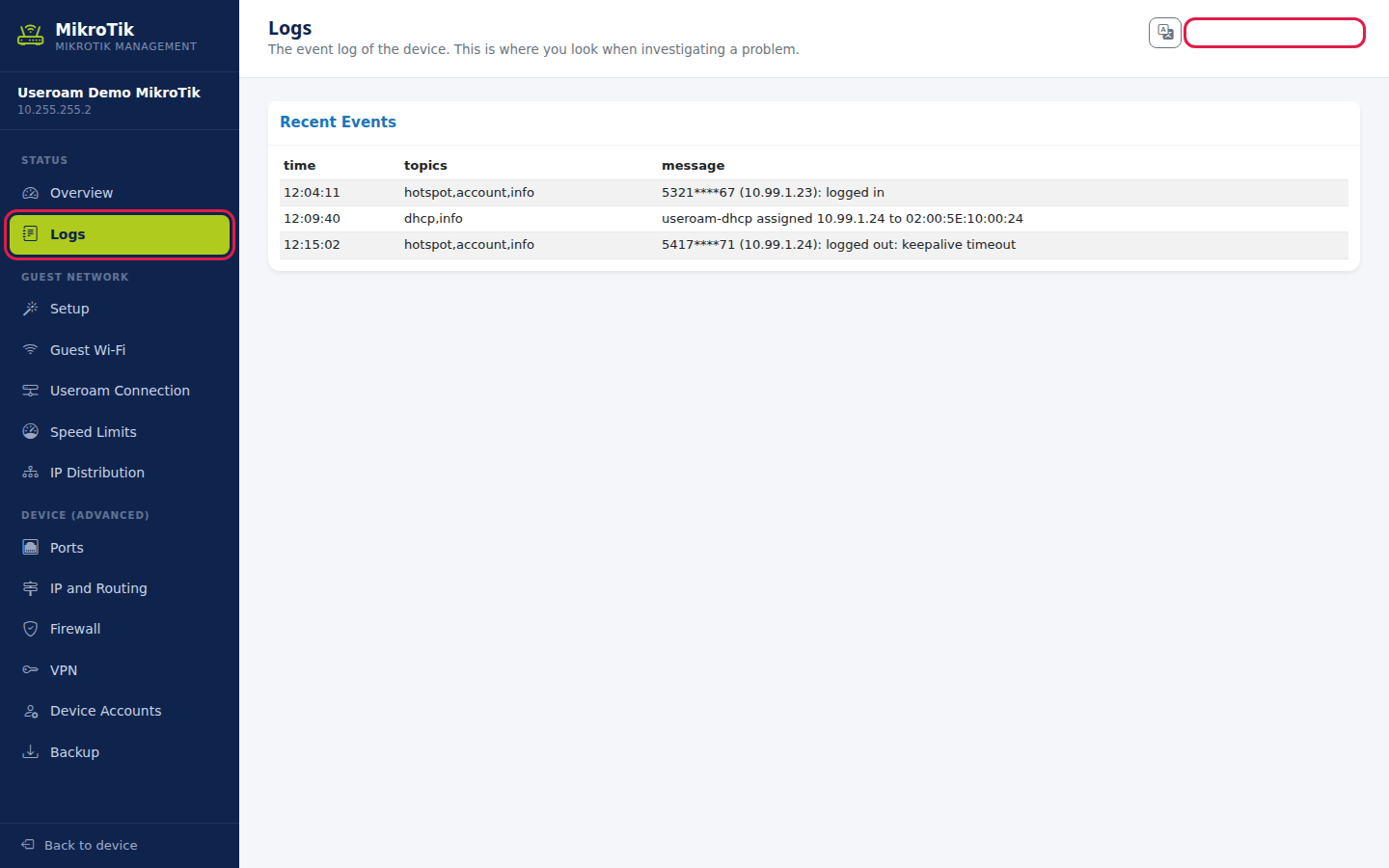
The log lines in the image are samples.
Items on the screen
| Item | Meaning |
|---|---|
| Device | The device's name in the panel. |
| Address | The device's public address saved in the panel. |
| Status | online, unreachable or not connected. |
| RouterOS | The device's software version (online devices only). |
| Uptime | How long the device has been running. |
| CPU | Current CPU load (e.g. %7). |
| No MikroTik devices found. | No MikroTik device is assigned to you. |
| No records. (Logs) | The device returned no log entries. |
Frequently asked questions
My Devices is not in the menu.
Your account has one MikroTik device; this screen only appears with several devices.
A device shows "unreachable".
Check the device's power and internet. If it continues, select it in Device Selection and generate a new connection code on Device Settings > Setup.
Do these logs replace the 5651 logs?
No. This list is the recent events held in the device's memory. Legal 5651 records are signed and stored, and shown on the 5651 Logs screen.