
WhatsApp Settings
What is it for?
The WhatsApp sign-in settings screen decides the format of the password generated when a guest logs in to Wi-Fi with WhatsApp, and which group the guest is added to.
How do I open it? In the left menu, click Settings → WhatsApp Settings. To offer WhatsApp login to guests, also use WhatsApp Portal Settings.
Under the screen title it says You are here. Click Dashboard in the path line at the top to return to the home screen.
When do I use it?
- You are turning on WhatsApp login for the first time and want to set the password format.
- You want guests who log in with WhatsApp to be added to a different group (speed, duration, quota rules).
- You want to change whether a guest who registered before gets a new password at every login.
Before you start
- Create the guest group first on Groups.
- For WhatsApp login to work on the guest side, WhatsApp addresses must be allowed on your firewall. See your device's setup guide.
Step by step
In the left menu, click Settings → WhatsApp Settings. The WhatsApp Settings card opens.
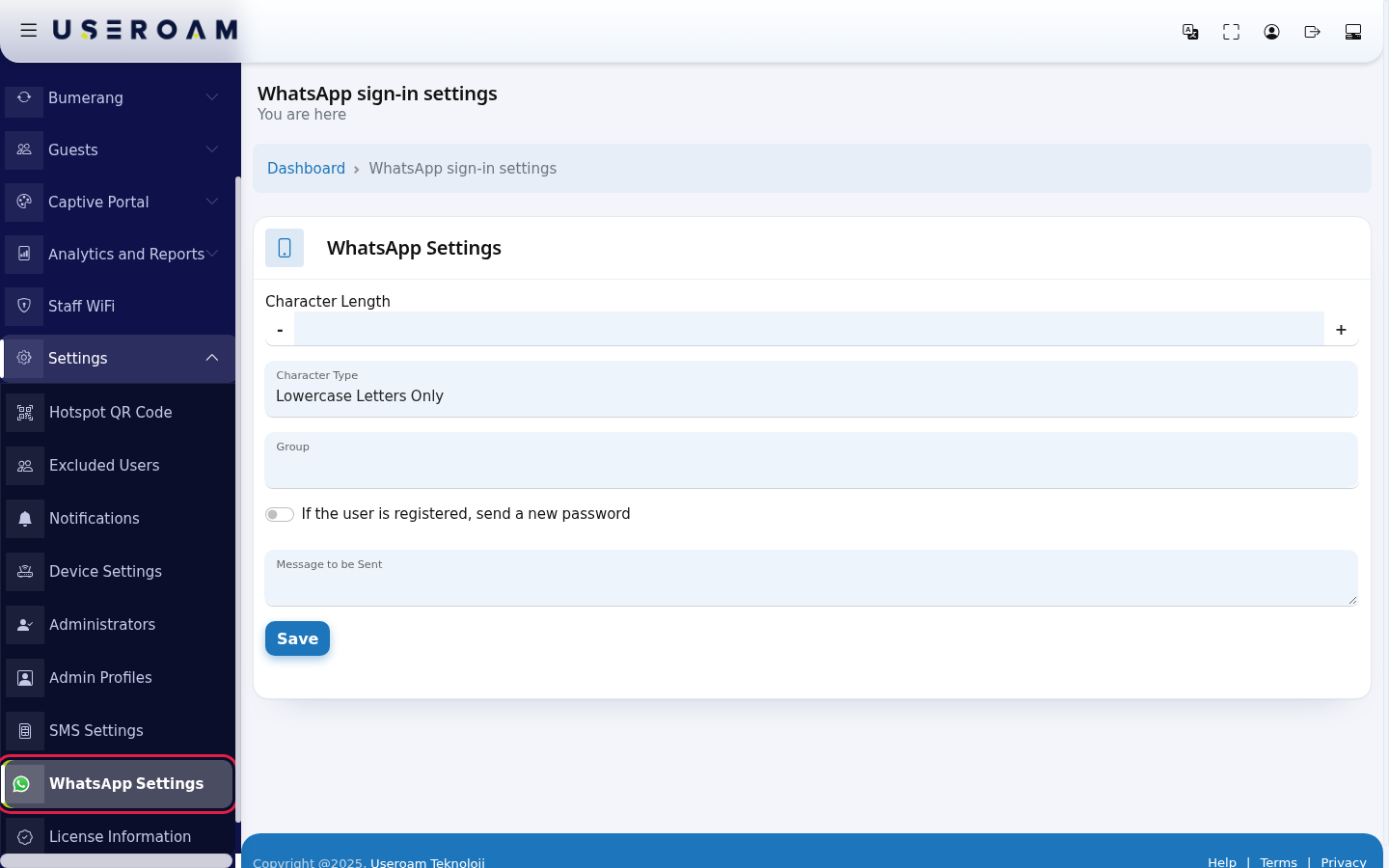
Fill in the fields:
- Character Length: how many characters the password has. Use - and + or type the number (e.g. 6).
- Character Type: Lowercase Letters Only, Uppercase Letters Only, Letters Only, Numbers Only or All.
- Group: the group guests who log in with WhatsApp are added to.
- If the user is registered, send a new password: if on, a number that registered before gets a new password at every login.
- Message to be Sent: message text, at most 160 characters. Write {password} where the password should go.
Then click Save. The screen reloads and shows the values you saved; no separate confirmation message appears.
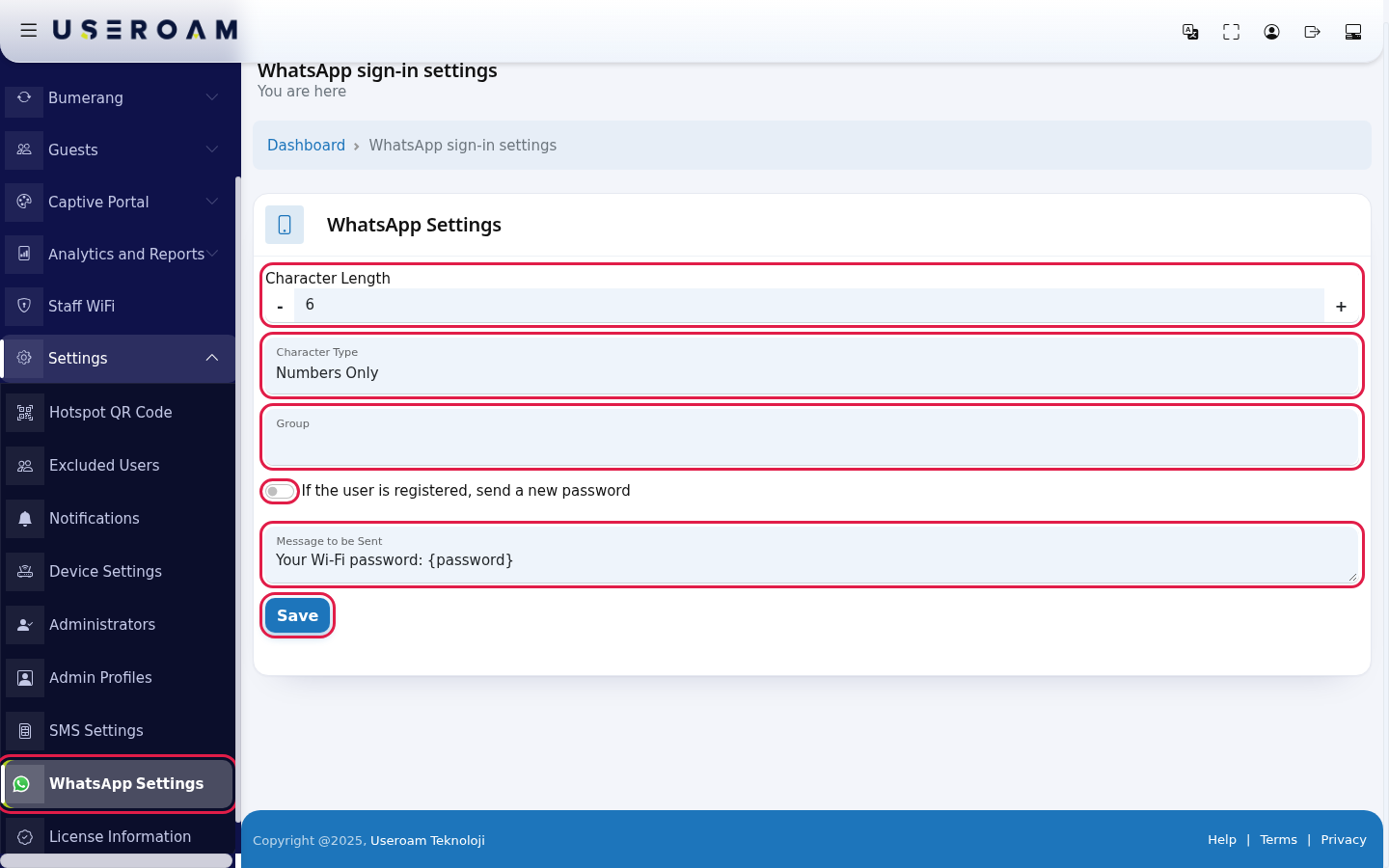
Every field and button on the screen
| Field / Button | What it does | Example |
|---|---|---|
| Character Length | Number of characters in the password. | 6 |
| Character Type | Which characters the password uses. | Numbers Only |
| Group | Group of guests who log in with WhatsApp. When you save, the WhatsApp portal's group is set to the same group. | Guests |
| If the user is registered, send a new password | Whether a registered number gets a new password. | On |
| Message to be Sent | Message text, at most 160 characters. | Your Wi-Fi password: {password} |
| Save | Saves the settings. |
Frequently asked questions
The WhatsApp message the guest receives is different from what I wrote.
WhatsApp verification messages are sent with ready-made templates approved by WhatsApp, so the guest sees the template text.
The group list is empty.
There is no group for this device yet. Create one on Groups.
Do SMS and WhatsApp settings affect each other?
No. SMS login is set on SMS Settings, WhatsApp login separately on this screen.