
Role Guide: Hotel Manager
This page is for the person running the hotel housekeeping or technical team.
1. What this role sees
- All tabs and all rooms and areas; the Rooms | Areas switch.
- Extra buttons: Assign, Nudge, Assign room owner, + Add task; extra chips: Unassigned, Overdue; the Summary tab.
2. Assigning rooms
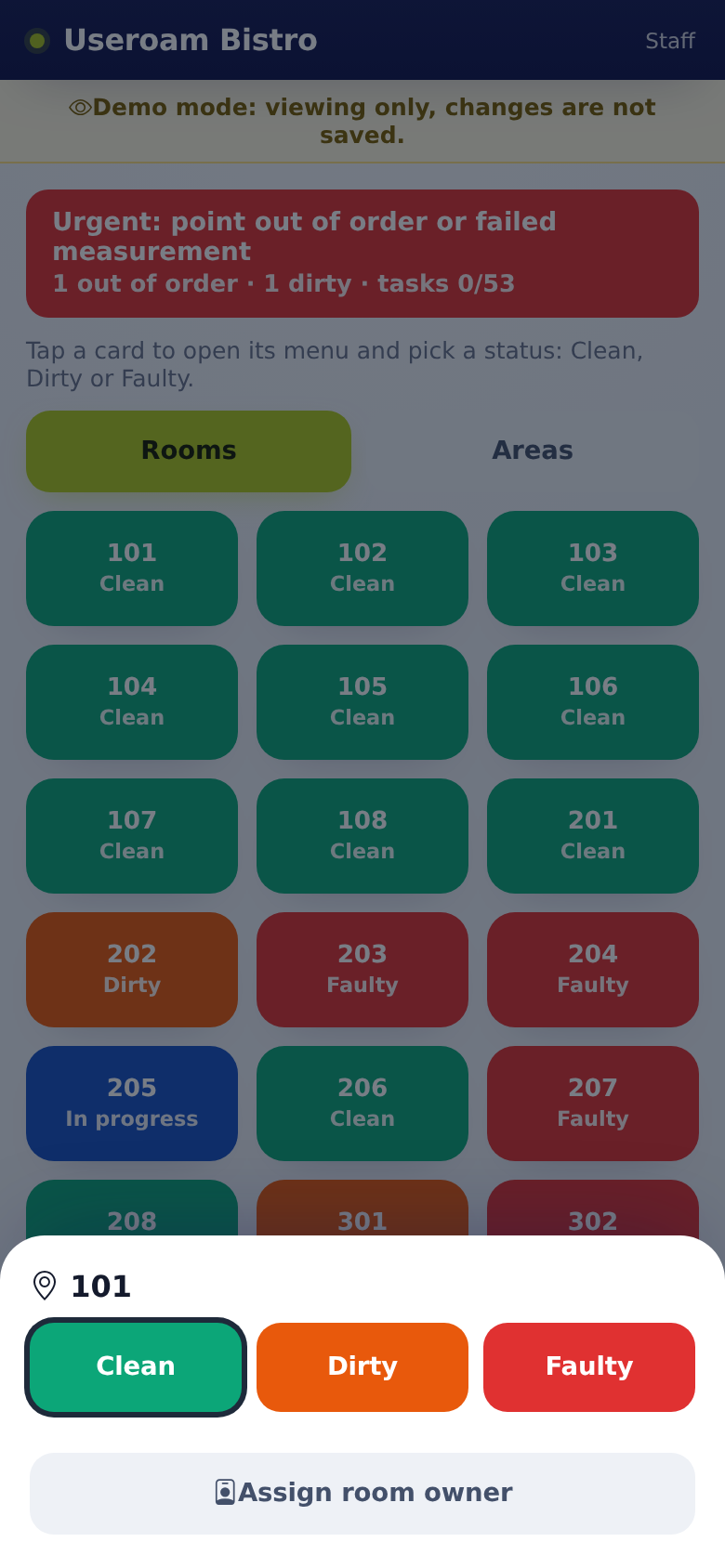
- On Rooms, tap a room.
- Tap Assign room owner and choose a staff member.
- The room's cleaning job goes to that person; on their screen the room shows · assigned to you.
3. Managing requests
- On Requests, tap Unassigned and hand out jobs with Assign.
- Use Nudge for jobs under Overdue.
- When a job is closed from the panel or the app, or a room service order is delivered, you get Job completed; not if you closed it yourself.
- Reply to a guest request with the speech bubble on the card.
- For room service orders, follow the Prepare, Ready, Deliver steps on the card.
4. Checkout
- On Rooms, tap Checkout on the room card.
- Read the confirmation: open requests close, the room becomes dirty, the guest record is not deleted.
- Confirm; the room joins the cleaning queue.
5. Tasks and end of day
- Define recurring work such as area rounds and technical checks on Tasks with + Add task.
- If a task is not done within 30 minutes of its time, you get Task overdue (the assignee too, if the task is assigned to one person).
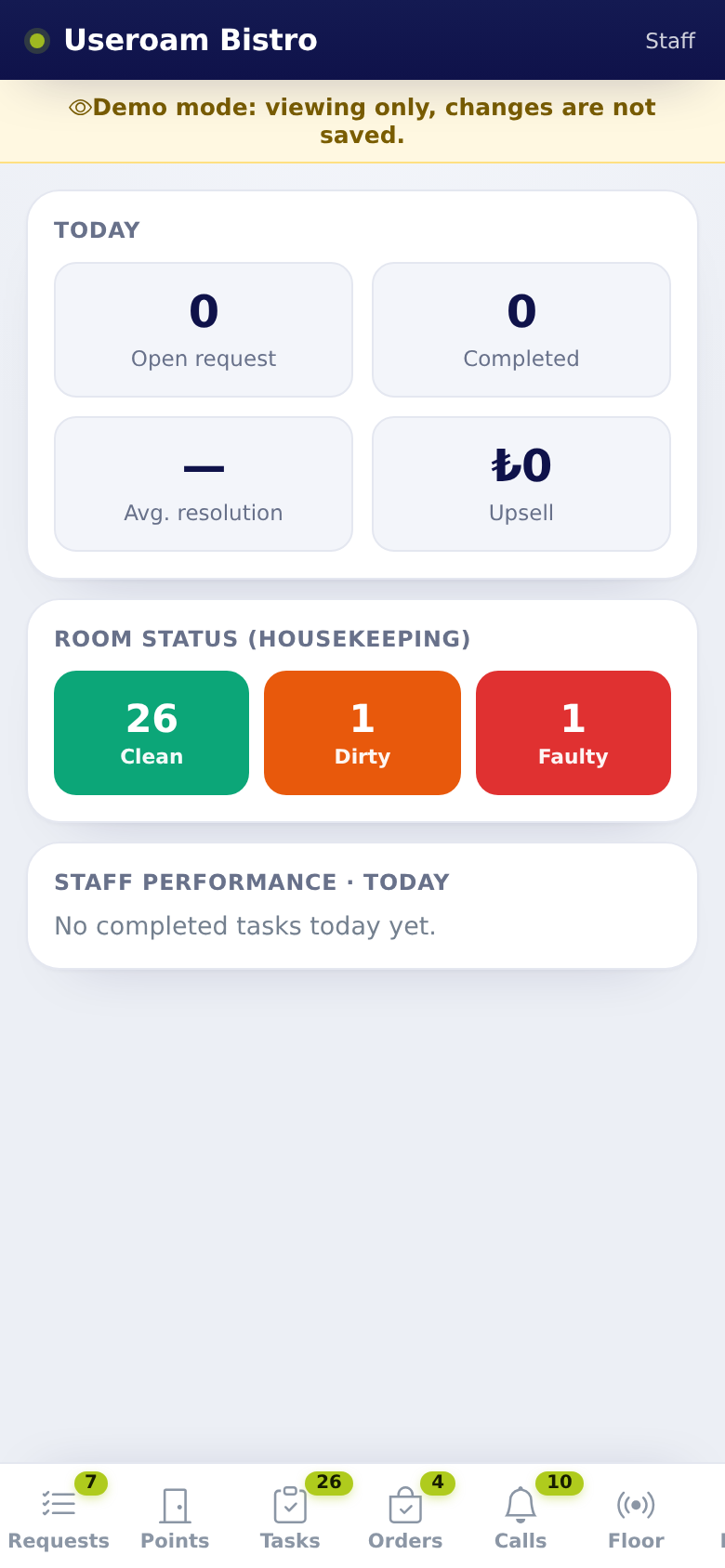
- On Summary, see the room state split (Clean, Dirty, Faulty), open and completed jobs and staff performance.
6. FAQ
A staff member cannot see areas. The areas may have no owner; set owners on the panel's Operations screen.
As a manager I can tap Clean, but staff cannot. The Clean lock only applies to staff; once the open job closes the room turns clean by itself.
Do SLA notifications work for the hotel? In-app SLA notifications are for restaurant requests; hotel SLA rules work by SMS from the panel. If your email address is filled in and Email notifications is on in the panel's Staff screen, hotel SLA delays also reach you by email (Staff).
Related pages: Useroam Go → Manager Tools and Tasks, Rooms, Summary; Hotel Solution → Room Board, SLA Rules.