
Summary
The Summary tab is the day's operational scorecard — where you stand mid-shift, and what got done by the end of it, on one screen.
How do I open it? The Summary item in the bottom bar. Only managers see this tab.
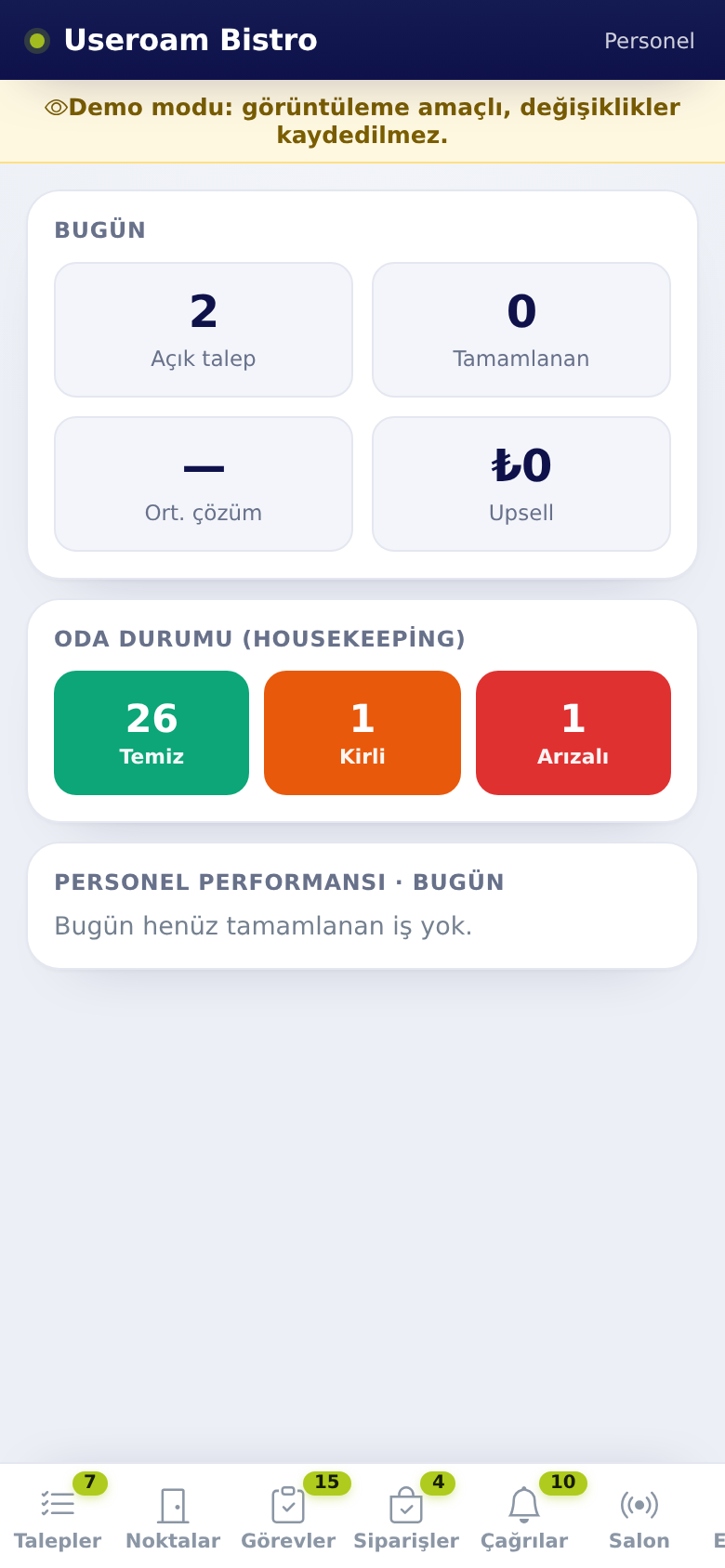
1. Today
- Open requests: Requests still not closed.
- Completed: Requests closed during the day.
- Avg. resolution: Average time to resolve a request. With nothing closed it shows —.
- Upsell: Revenue from paid services such as late checkout and early check-in.
2. Room status (housekeeping)
The current split of rooms: clean, dirty, faulty. Every status change you make on the Rooms tab updates these figures immediately.
3. Staff performance · today
Lists how many jobs each person completed during the day. With nothing closed yet it reads "No completed tasks today yet." This is the section to check at shift handover.
Each person is listed with the number of jobs finished and the average time, e.g. "4 tasks · avg 12 min".
4. For managers
The Summary tab is for managers. For manager tools such as assigning, nudging and adding tasks, see Manager tools and tasks.
Related pages: Useroam Go → Requests, Rooms; Hotel Solution → Request Monitor.